
Pokémon Champions is the latest game from Nintendo’s iconic franchise, and it’s meant to be the primary destination for the competitive side of the fanbase. While some will just want to amaze with their precise team builds, there is still room to show off by using the rare shiny variants of your favorite Pokémon.
There are currently two methods to add some different-colored monsters to your team. We’ll be going over each below so you know your best option for how to get shiny Pokémon in Pokémon Champions.
How to Recruit Shiny Pokémon
What is arguably the simplest way to get a shiny in Pokémon Champions is by using the Recruit mechanic. Yes, it is indeed possible for a shiny to end up as one of your pulls during a recruitment. You can even tell during the animation before they’re revealed, as colorful beams of light and stars will accompany the final silhouette.
Although Pokémon Champions is much more upfront with battle mechanics and stats compared to other games, we don’t know what the odds are for a shiny Pokémon to show. Their rarity makes a great case for inviting them permanently. If you don’t want to leave it up to chance, the second method is a guarantee.
How to Transfer Shiny Pokémon through Pokémon Home
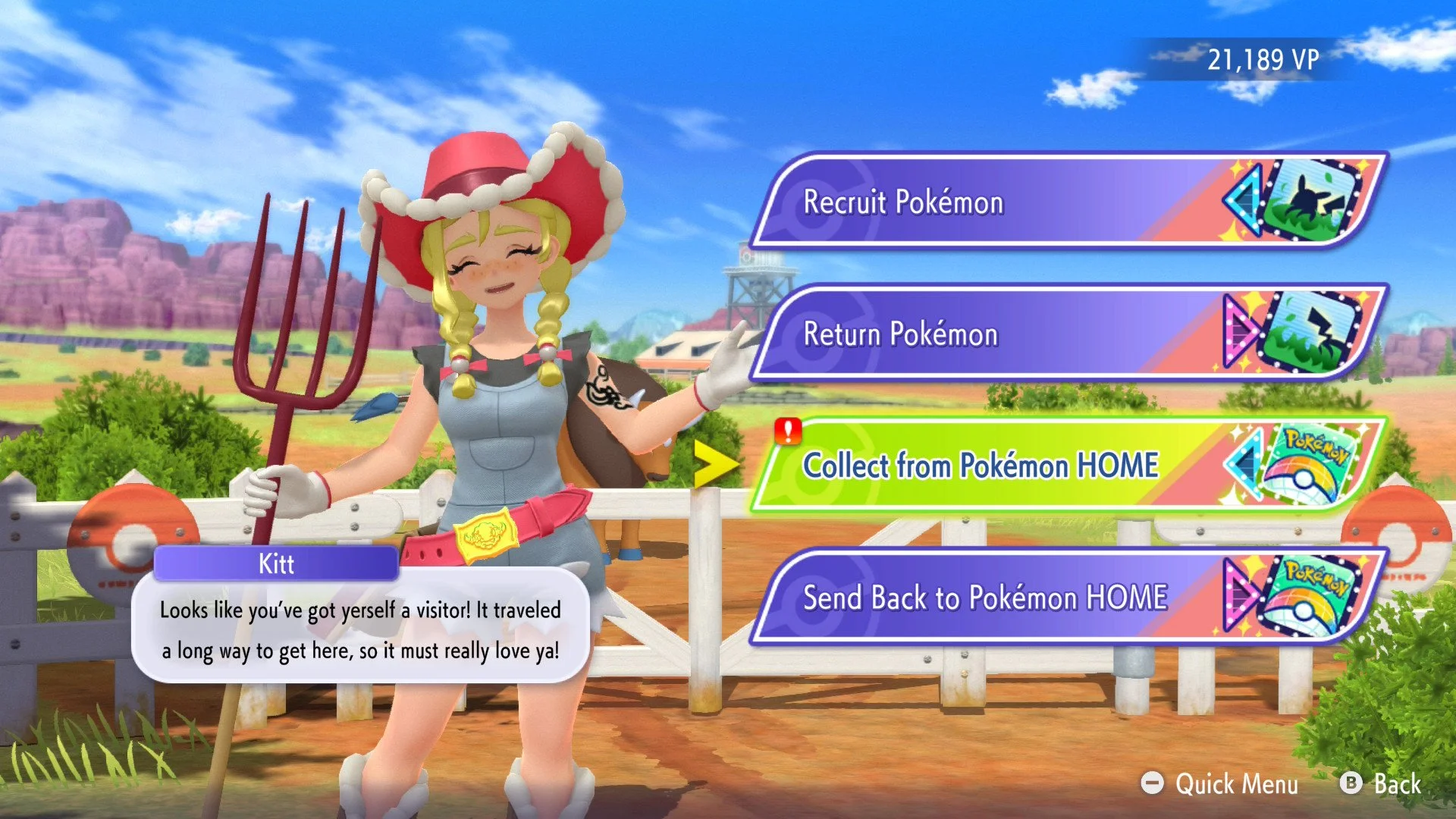
Pokémon coming over from other games retain their moves (as long as they can be used in Pokémon Champions), stats, and abilities. Naturally, any shinies you send along will visually be the same. Here are the basic steps to transfer any shinies you’ve gathered into Pokémon Champions:
Use Pokémon Home and connect Pokémon Champions and another Pokémon title where you have caught a shiny.
Within the Pokémon Home app, select the Pokémon button at the top and choose a game to connect to.
Transfer shiny Pokémon from the specified game’s boxes over to Pokémon Home.
Back on the Pokémon Home main menu, select the Pokémon Champions button on the bottom right.
Select the shiny Pokémon you wish to “Send for a Visit.“
Within Pokémon Champions, go to the Recruit menu and select the Collect from Pokémon Home button.
Confirm them, and your very own shiny Pokémon will be available in the box.

Due to some limitations for Pokémon Champions competitive play, it’s possible that some moves won’t be available to use. If this happens, a Pokémon will be marked with a red symbol. You’ll need to visit the Train menu to replace these moves with something else.
Remember that Pokémon Go can also be connected to Pokémon Home as well. I’ve transferred some shinies from there myself since the shiny encounter rate is much more generous than the mainline series.
That covers how to find and add shiny Pokémon in Pokémon Champions. Just don’t forget to make sure they’re battle-ready after tuning their stats and abilities if needed. You’ll be winning with style in no time.
Pokémon Champions is available now on Nintendo Switch and Nintendo Switch 2.