Disclosure: This is a paid guest post. The author or an affiliated third party paid for its publication, and the article may contain promotional links. The views and opinions expressed are those of the author and do not necessarily reflect those of GameTyrant or its editorial staff.
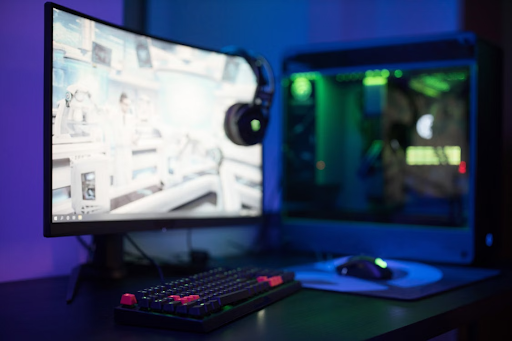
A smooth online gaming experience depends on more than having a powerful PC or the latest gaming equipment. Your computer's hardware, software settings, and internet connection all play an important role in how well your games perform. Even small adjustments can help reduce lag, improve loading times, and make gameplay more enjoyable. Here are six practical ways to optimize your online gaming experience.
Trade Your Mechanical Hard Disk for an SSD
As you may already know, SSDs are faster than conventional hard disks in that they reduce the game's load time, increasing your PC's speed. It is, however, worth noting that this is not an upgrade to increase the game's frame rate; for that, you may have to invest in a superior graphics card and update the video drivers.
Check Your Connection
A computer's gaming performance is primarily dictated by its drivers, hardware, and configuration. However, if you are an online gaming buff, your internet connection is another vital element to consider. Understanding gaming latency is particularly important because it affects how quickly your actions register in an online game. Even with a powerful PC, high latency can cause delays that affect your gaming experience.
Lagging is the most common culprit behind a troublesome online gaming experience. This can be attributed to a poor internet connection, though sometimes it has something to do with a weakened connection between the router and the PC.
To eliminate this, ensure your computer's network card has up-to-date drivers. If there is no significant change in performance, consider using an Ethernet cable to connect your PC to the router. This can provide a more stable connection and reduce interference compared to Wi-Fi.
Keep Your Computer Dust-Free
Dirt and dust are among the biggest culprits behind lowered computer performance. You have to be proactive regarding your laptop's physical maintenance, and that includes ridding it of dust, to keep it performing optimally.
Dust reduces the airflow, causing the computer to overheat. As the heat accumulates, the GPU, the processor, and other components central to your PC's functioning slow down.
Update the Drivers
Computers, regardless of the operating system, are based on the same architecture and store and process information following the same processes. With that being said, drivers are an essential part of any PC. Failure to update them can cripple individual components of the computer, making it almost unusable.
For gamers, the graphics drivers have the most sway on how the computer will display certain visuals. You may want to find drivers explicitly designed for gaming if you want top performance for hardcore gaming.
Adjust Power Settings
Power management has been shown to have an impact on some computers' performance. Laptops, which are built to be used away from a wall socket, are particularly dependent on the power management settings.
Windows provides a range of power management calibrations, but for the optimal gaming experience, you may need to plug in your charger and choose the high-performance option, which can be found under ‘Additional power settings'.
Close Any App Running in the Background
Regardless of the size of your computer's RAM, running more than one app at a time can impact your PC's performance even if by a tiny margin. When opening your game, ensure any app you are not using is closed.
Endnote
A better online gaming experience does not always require expensive hardware or major upgrades. Regular maintenance, sensible PC settings, and a reliable internet connection can make a noticeable difference. Be sure to review your setup periodically to keep your games running smoothly.