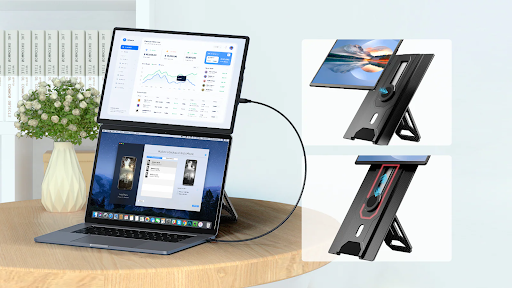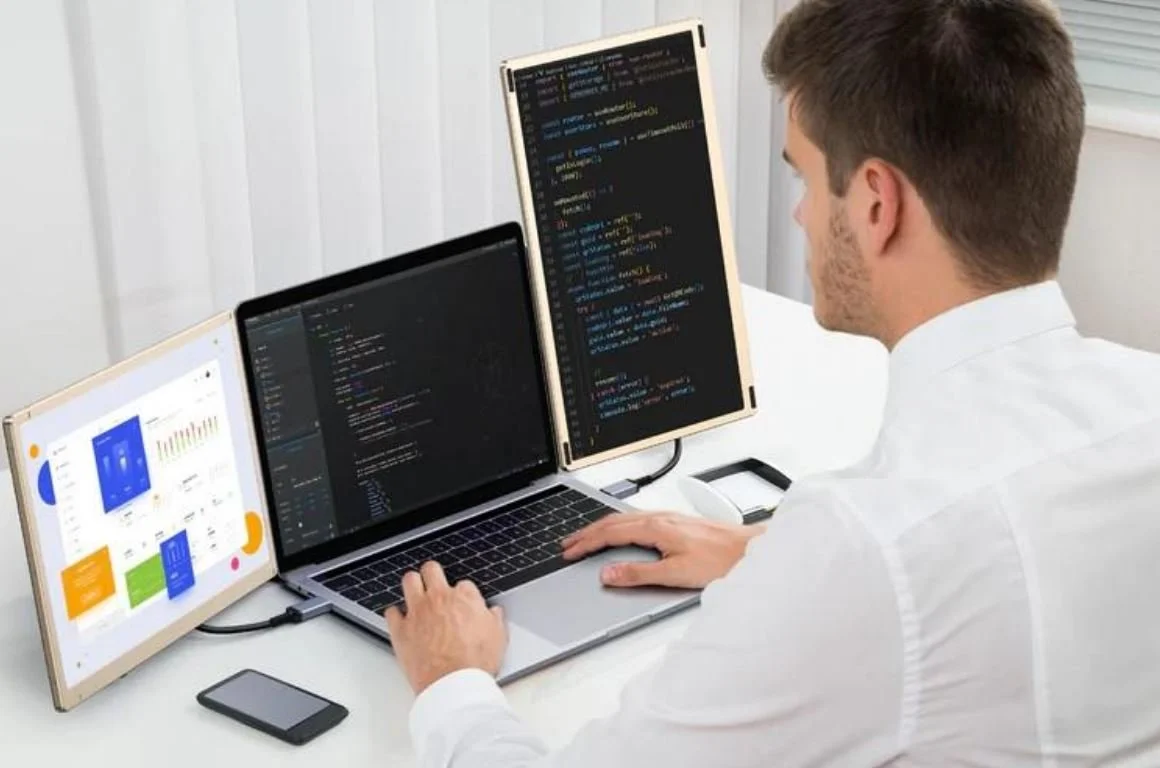
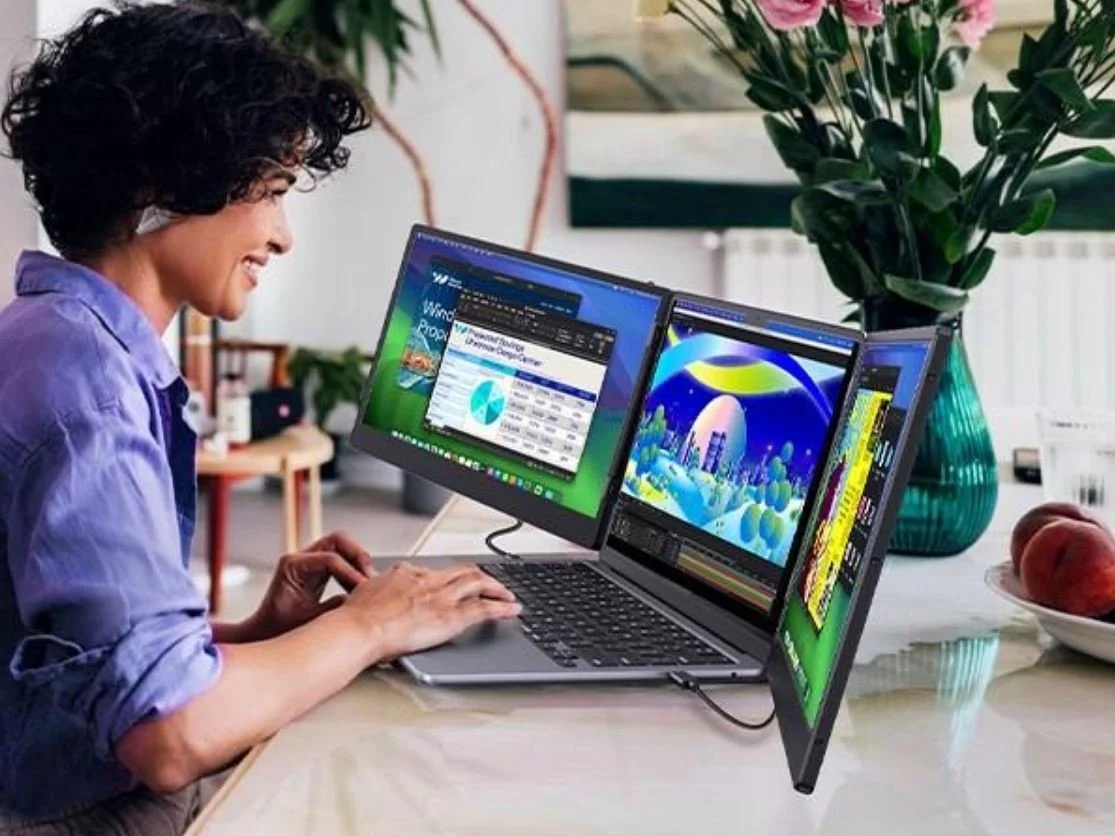
As a business professional, I used the Cevaton S6 triple laptop screen extender, connected to a ThinkPad X1 Carbon, for over 5 days. It provides two displays offering display configurations for business proposals, meetings, coding, and personal use, such as gaming, photography, and content creation. This unique model can transform any space into a powerful workstation with its 15.6” magnetic screen and includes various features as described in the article.
Part 1. I Used Cevaton S6 on My Daily Commute: How Did It Go?
Scenario: I was attending a meeting on Zoom, addressing emails and drafting codes simultaneously, during my business tour, and using S6 was a perfect choice. Full HD resolution has contributed to brilliant visuals and striking color contrast at 90° rotational angles. The monitor can be extended and powered with PD 100W pass-through, reducing cable clutter by up to 70%.
Setup: Detaching the screens of a triple screen laptop extender created a travel-friendly workstation. Before traveling, the mission was to fit the entire rig into a commuter backpack, which was achieved by adjusting both the ThinkPad and the S6 simultaneously.
Observations for Using Cevaton S6 Triple Screen Extenders
The observations while using the Cevaton S6 setup are given below:
The S6 drop-proof carry bag contains a padded sleeve for its protection.
A test of the kickstand's stability was conducted by placing a three-screen setup on a tray table, and it withstood a gentle, bumpy ride.
The brightness of the S6 is sufficient for both day and night use, as it ranges up to 300 nits; however, a tilt adjustment is required.
Part 2. Why Using a Triple Laptop Screen Extender Changed The Way I Host Meetings?
Scenario: A triple screen laptop extender was used for presenting slides while referencing spreadsheets and meeting chats. As a host, the Cevaton S6 has proven to be a game-changer, significantly enhancing the viewing experience with its IPS wide viewing angle.
Tools Used: During the meeting, the ThinkPad helped extend the center screen to display slides and live documents on the left and facilitate chatting with Zoom participants on the right.
Outcomes
Alt-tab chaos was avoided when switching between tabs using the three screens of the best triple laptop screen extender.
The audience noted a more intuitive workflow and less reluctance to get stuck in mid-sentence.
Multiple USB-C and HDMI cable converters are used to connect devices, including those running Windows and Android operating systems.
The budget-friendly and premium model is available with a simple magnetic attachment and an easy slide.
Setup Remark: During the in-person meeting, it was convenient to share confidential data by changing the screens to a vertical orientation.
Part 3. Content Editing and Triple Laptop Screen Extender: My Experience
Scenario: My experience in a photo editing session was brilliant, utilizing various tools, like Photoshop Lightroom, and a photo enhancer. There is another option for using reference images and a browser for perfect image pixels. Dual-screen sliding and a plug-and-play option have added value to the time-saving feature.
Insights: Cevaton S6 offers IPS technology that delivers decent RGB up to 120%. Boosting the workspace with quick color tweaks is another notable feature of the triple screen laptop extender. There is an occasional error in brightness, but it can be corrected with a quick calibration adjustment.
Part 4. How Did Cevaton S6 Screen Extender Handle Light Gaming and Streaming
Scenario: Light gaming and streaming are facilitated by multiple configurations that transition into casual gaming breaks, such as a side panel of game guides. Avoid harsh blue light by enabling night mode; otherwise, use a warmer profile.
Results: Cevaton’s innovative triple laptop screen extender has a refresh rate of 60Hz for smooth visuals and FHD for sharper viewing images. An audio speaker system is attached for the background sounds, while the overhead of the battery is moderate.
Part 5. Final Verdict: Was Cevaton S6 The Right Option?
That was a perfect decision to choose Cevaton S6 during the business tour, as it has offered the following features:
Setup Time: Its setup time is reduced to a few minutes because of its plug-and-play option. Zero drivers are needed for macOS, Chrome OS, Windows, and Linux.
Portability: The S6's carrying case is well-protected, ensuring all components remain intact during travel or meetups. A foldable power management system may seem complex at first, but once fully assembled, you will enjoy a smooth setup with a user-friendly configuration.
Productivity Gains: Monitoring trends and managing spreadsheets are multiple tasks that are regulated by the triple screen laptop extender, resulting in increased productivity.
Best Scenarios: You can customize the screen to different orientation modes, such as portrait and landscape, for synchronizing content. The graphics processor manages more pixels across the screens for improved visuals. Professionals can leverage their multitasking capabilities and enjoy enhanced gaming performance.
Drawbacks: Its weight is approximately 2.39 kg, which is heavy to carry for travel as compared to other portable monitors on the market. Limitations of the color gamut range, up to 85% NTSC, reduce the efficiency of advanced content creation.
Conclusion: Cevaton S6 Stands Tall
In conclusion, the scenario test has demonstrated that the Cevaton S6 is the best triple laptop screen extender users, particularly those who engage in multitasking while traveling. If you want a portable, three-screen display offering durable flexibility that works in real-life scenarios, then S6 is the game-changer among all the extenders on the market.