Creating a successful sports game involves much more than coding mechanics or designing player models. Developers need access to reference photography, sound effects, animations, statistics, game engines, UI assets, testing tools, and community resources to build an authentic experience.
Whether you're developing a realistic football simulator, an arcade-style basketball game, or a mobile sports title, these resources can help streamline production and improve the final product.
1. OpenGameArt
Independent developers often need affordable creative assets.
OpenGameArt provides community-created artwork, sprites, textures, UI elements, and audio that can help accelerate early development.
Useful for:
Prototypes
Indie projects
Placeholder assets
2. Unity
Unity remains one of the most popular game engines for sports games, particularly on mobile and independent platforms.
Its extensive documentation, large Asset Store, and cross-platform deployment make it suitable for everything from simple management games to fully featured sports simulations.
Useful for:
Mobile sports games
Arcade titles
Cross-platform development
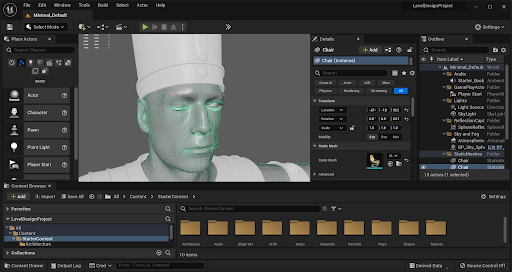
3. Unreal Engine
Unreal Engine is known for producing highly realistic graphics and advanced physics.
Developers creating visually ambitious sports games often choose Unreal for its powerful rendering tools, animation systems, and lighting capabilities.
Useful for:
Console games
PC sports simulations
High-end graphics
4. Blender
Blender is a free, open-source 3D creation suite used by developers worldwide.
It allows teams to model athletes, stadiums, equipment, trophies, and animations without expensive licensing costs.
Useful for:
Character modeling
Animation
Environment creation
5. Mixamo
Creating believable player movement is essential in sports games.
Mixamo offers an extensive library of motion-capture animations that developers can use as a starting point before creating custom movements for athletes.
Useful for:
Running
Jumping
Celebrations
Character rigging
6. Vecteezy
Editorial sports photography is an invaluable reference when creating realistic players, stadiums, uniforms, celebrations, and game-day environments.
Useful for:
Authentic athlete movements
Crowd reactions
Creating social media and blog content
7. FMOD
Audio plays a huge role in creating an immersive stadium atmosphere.
FMOD enables developers to create dynamic crowd noise, commentary triggers, environmental audio, and realistic sound effects that react during gameplay.
Useful for:
Crowd ambience
Interactive audio
Dynamic sound design
8. Kenney Assets
Kenney offers thousands of free game development assets, including interface elements, icons, and simple graphical resources.
These are especially valuable during prototyping.
Useful for:
UI development
Menus
Prototypes
9. SportsDataIO
Many sports games rely on accurate statistics.
SportsDataIO provides APIs covering numerous professional leagues, allowing developers to integrate real-world data into fantasy games, simulations, or companion apps where licensing permits.
Useful for:
Live statistics
Historical data
Fantasy sports
10. GitHub
Many useful sports game development tools, plugins, and open-source projects can be found on GitHub.
Developers frequently share code for AI systems, networking, physics, and gameplay mechanics.
Useful for:
Open-source libraries
Collaboration
Version control
11. Figma
Modern sports games require polished interfaces.
Figma makes it easy for designers and developers to collaborate on menus, scoreboards, player cards, dashboards, and user flows before implementation.
Useful for:
UI design
UX planning
Team collaboration
12. Trello
Sports games often involve artists, programmers, writers, audio designers, and QA testers.
Trello helps organize development tasks, milestones, bug tracking, and production schedules.
Useful for:
Project management
Sprint planning
Task organization
13. Discord Developer Communities
Game development communities provide valuable feedback throughout production.
Discord hosts numerous communities where developers exchange advice on animation, networking, optimization, graphics, and publishing.
Useful for:
Troubleshooting
Feedback
Networking
14. itch.io
Itch.io serves as both a publishing platform and a learning resource.
Developers can study successful indie sports games, gather player feedback, distribute prototypes, and participate in game jams that encourage rapid experimentation.
Useful for:
Publishing demos
Community testing
Discovering indie sports games
Choosing the Right Resources
The ideal toolkit depends on the type of sports game you're building.
For example:
Realistic simulations benefit from editorial photography, advanced game engines, and accurate statistics.
Mobile games may prioritize lightweight assets and efficient development tools.
Indie developers often combine free creative resources with open-source software to reduce production costs.
Multiplayer games require strong networking, testing, and project management tools.
Combining several specialized resources often leads to a smoother workflow than relying on a single platform.
Building a compelling sports game requires creativity, technical expertise, and reliable resources. From reference photography and 3D modeling to animation, sound design, statistics, and collaboration tools, each stage of development benefits from using platforms designed for specific tasks.
Whether you're creating a realistic football simulator, a basketball management game, or a fast-paced arcade sports title, these 14 resources can help improve efficiency while supporting a more polished final product.