Disclosure: This is a paid guest post. The author or an affiliated third party paid for its publication, and the article may contain promotional links. The views and opinions expressed are those of the author and do not necessarily reflect those of GameTyrant or its editorial staff.
Disclaimer: The following content contains references to gambling, casinos, and related topics.
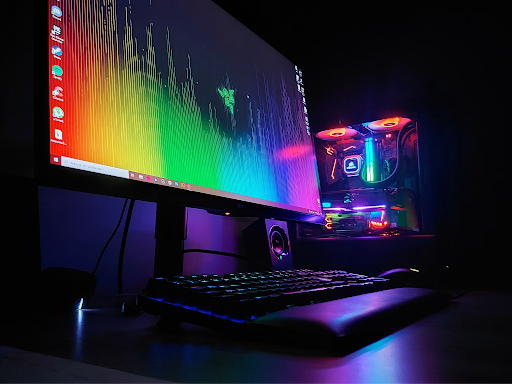
There are two types of gamers in this world. First, you’ve got the ones who are willing to spend as much time as they spend gaming researching the intricacies of GPU vs CPU, 2560 x 1440 vs 3840 x 2160, 144Hz vs 240Hz and OLED vs Fast IPS. Then, you’ve got the ‘let me game’ gamers - the ones who would rather focus on the game on the screen rather than know how fast its refresh rate is…whatever that is.
The world needs both but, unless your roommate is the first kind of gamer - and provided you’re the second - that doesn’t make it any easier for you to figure out what monitor you need. Cost vs quality, size vs…well, cost again…and then all the other intricacies that don’t make sense unless you’ve got a head for tech.
Fortunately, it doesn’t have to be as complicated as some people make it. Yes, expensive research helps you get exactly what you want, but most people won’t notice those minor differences - and it’s better to find a good thing quickly than to never find the best thing.
High Hertz (or 4K Ideally)
Hertz basically (and this is being quite reductive here) means how quickly the screen refreshes to a new image. 1 Hz equates to 1 update per second.
Most default monitors are around 60Hz, but that’s far from ideal if you’re going to use the monitor for gaming purposes. It’s fine for looking at spreadsheets or typing into a Word doc, but for anything animated, you’re going to notice a serious shortfall.
Ideally, a gaming monitor will be no less than 144 Hz, although some are way higher than that. This is arguably the most noticeable change you’ll experience if you’re going from a basic monitor to something hand-picked for gaming.
Bottom line: Look for anything above 144 Hz.
High Pixel Density
As you no doubt know, pixels are the tiny little squares that create the display in front of you. The more pixels you have, the better the resolution, since the picture in front of you is created out of many more (and much smaller) squares. Think of the difference between an 8-bit game and a 16-bit. That’s the basic idea, anyway. Even the most advanced graphics or the best online casino needs a good pixel density to look as good as it’s designed to look.
Pixel density can be a little confusing at first, because higher pixel densities are presented in a different format. On the lower end, you’ve got resolutions like 1080p and 1440p, but as you climb higher you’ll start to see 4k and 5k instead.
Bottom line: the higher number is always better, but 1440p and above is best for committed gamers.
Low Input Lag
Here's the one that even a lot of "let me game" gamers have never heard of, but it might matter more than the two things above put together. Input lag is the tiny delay between you actually doing something - pressing a button, flicking your mouse - and that action showing up on screen. It's measured in milliseconds, and it's easy to confuse with refresh rate, but they're not the same thing. A monitor can have a blazing-fast refresh rate and still feel sluggish to actually play on if the input lag is high.
You won't necessarily notice input lag in slower or more casual games, but it’s make or break in fast-paced titles like the Aviator crash game by spribe in South Africa. It's one of those things you don't think about until you play on a low-lag monitor and everything suddenly feels "snappier”.
Most gaming monitors list their input lag in the spec sheet, and manufacturers often build in a dedicated "Game Mode" that strips out image-processing extras (things like motion smoothing, which no one likes anyway) specifically because those extras are what introduce lag in the first place.
Bottom line: look for input lag under 10ms if you can, or at the very least, make sure "Game Mode" is an option.