Disclosure: This is a paid guest post. The author or an affiliated third party paid for its publication, and the article may contain promotional links. The views and opinions expressed are those of the author and do not necessarily reflect those of GameTyrant or its editorial staff.
Short videos have become a major part of online gaming, entertainment, and digital media. From exciting gameplay moments and cinematic trailers to funny creator reactions, viewers often consume content in short sessions throughout the day. However, not everyone watches these videos with the sound turned on. Captions help bridge this gap by making important information easier to understand, keeping viewers engaged, and improving the overall viewing experience.
Why Captions Matter in Short-Form Video Content
Many people watch videos while commuting, taking breaks at work, or scrolling through social media in public places. In these situations, turning on the sound may not be practical. Without captions, viewers can miss dialogue, instructions, jokes, and other details that contribute to the video's meaning.
Captions display spoken words directly on the screen, allowing audiences to follow conversations and understand the context without relying entirely on audio. This is especially useful for short clips, where creators have limited time to communicate their message.
For gaming content, captions can explain what a player is saying during a difficult match, highlight an unexpected reaction, or make team communication easier to follow. In trailers, they help audiences understand character dialogue and important story details. For creator clips, captions make commentary, tutorials, and entertaining moments more accessible.
Making Gameplay Videos Easier to Understand
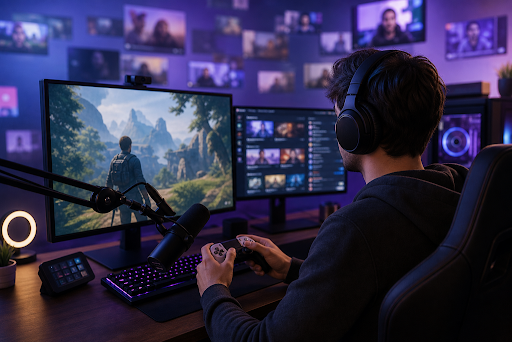
Gaming videos often contain several things happening simultaneously. Players may be moving through complex environments, fighting opponents, communicating with teammates, and reacting to unexpected events. When viewers watch without sound, some of these details can become difficult to understand.
Captions help solve this problem by displaying important dialogue and commentary alongside the action. A creator can use them to highlight a strategic decision, explain a surprising outcome, or emphasize a humorous reaction. This allows viewers to understand the moment without needing to replay the video.
Well-timed captions can also support different gaming formats. Tutorials benefit from captions that explain controls and techniques, while competitive gameplay clips can use short text highlights to clarify important decisions. Funny gaming moments become easier to follow when the dialogue and reactions remain visible throughout the clip.
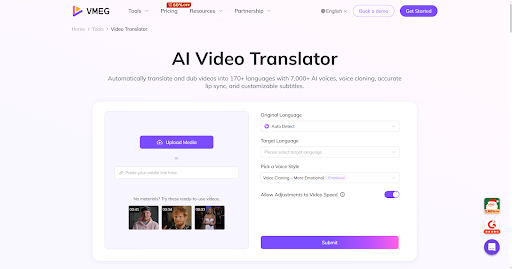
Creators can simplify their editing process by using a caption generator to produce subtitles for their videos. They can then review the generated text, correct mistakes in gaming terminology, and adjust the timing to match the action on screen.
Improving the Experience of Watching Trailers
Movie trailers, game announcements, and promotional videos often rely on dialogue, music, sound effects, and quick scene transitions to create excitement. However, these elements may not communicate the complete story to viewers watching silently.
Captions provide a practical way to preserve important dialogue and narrative details. When a character makes a revealing statement or a narrator introduces a new feature, viewers can still understand the message without hearing the audio.
Captions are also useful when trailers introduce unfamiliar characters, locations, or gameplay mechanics. By presenting dialogue clearly, they help audiences follow the central idea even when the video moves quickly between scenes.
For creators and marketing teams, readable captions can make promotional content more effective across different platforms. The key is to keep the text concise, synchronize it with the dialogue, and ensure that it does not obscure important visual details.
Helping Creator Clips Reach More Viewers
Content creators frequently share reactions, commentary, interviews, tutorials, and behind-the-scenes moments. These clips often depend on spoken explanations or conversations, making captions particularly valuable.
Captions can help viewers understand unfamiliar accents, follow conversations in noisy environments, and keep up with speakers who talk quickly. They also make it easier to revisit a particular point without increasing the volume or repeatedly listening to the same section.
Accessibility is another important benefit. Viewers who are deaf or hard of hearing may depend on captions to understand spoken content. Accurate subtitles can also support people who are learning a language or who find certain audio environments challenging.
Creators should remember that automatic captioning is not always perfect. Background music, overlapping voices, unusual names, and specialized gaming vocabulary can cause transcription errors. Reviewing captions before publishing helps maintain accuracy and prevents confusing or misleading text from appearing on screen.
Best Practices for Creating Readable Captions
Effective captions should be easy to read without distracting viewers from the video itself. A few simple practices can make a significant difference.
First, use clear wording and natural sentence breaks. Short lines are generally easier to read on mobile screens than long blocks of text. Second, choose a font size that remains legible across different devices. High contrast between the text and its background also improves readability.
Timing is equally important. Captions should appear when the corresponding words are spoken and remain visible long enough for viewers to read them comfortably. Creators should avoid covering essential gameplay details, facial expressions, subtitles already present in the video, or other important visual elements.
Finally, review the finished video before publishing. Watching it with the sound off is a useful way to check whether the captions communicate the essential message. Turning the sound back on afterward helps identify timing issues and transcription mistakes.
Conclusion
Captions have become an important part of modern gaming, entertainment, and creator content. They make short videos easier to follow when sound is unavailable, improve accessibility, and help audiences understand dialogue and key moments without missing the action.
Whether someone is watching a competitive gaming highlight, a cinematic trailer, or a quick creator tutorial, well-designed captions provide useful context and create a smoother viewing experience. By combining accurate text, thoughtful timing, and readable formatting, creators can make their videos more engaging and accessible to a wider audience.