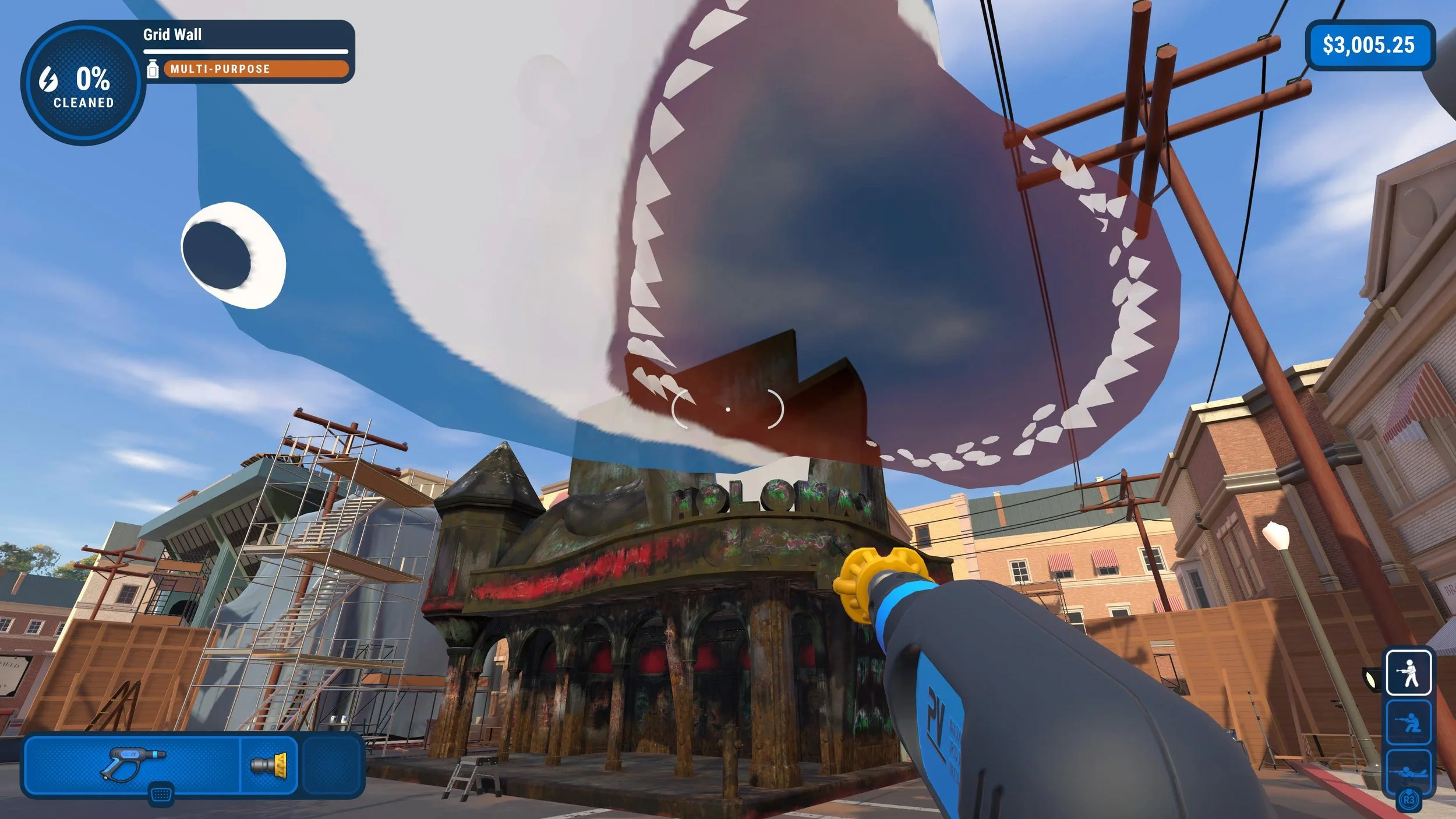
This shark is obviously fake, but activating it will earn ya a nifty trophy or achievement.
PowerWash Simulator is filled with plenty of fun jobs to tackle, each asking you to kick back and spray away your troubles along with all the dirt and grime. But some jobs in the game have some one-off things you can do to earn yourself a trophy or achievement, such as the "Shark Still Looks Fakes" in the Back to the Future Special Pack's Holomax Theater job. Here's how to activate this totally real-looking holographic shark!
How to activate the holographic shark
When you're ready to activate the holographic shark and earn yourself the "Shark Still Looks Fake" trophy or achievement, head into the Back to the Future Special Pack and open the Holomax Theater job.
You don't even need to clean anything to get the holographic shark to spawn. Instead, as soon as the job begins, look for a red X out in the street in front of the theater. It's one of those things that you might've never noticed without having it pointed out, but it's pretty tough to miss once you know to be looking for it.
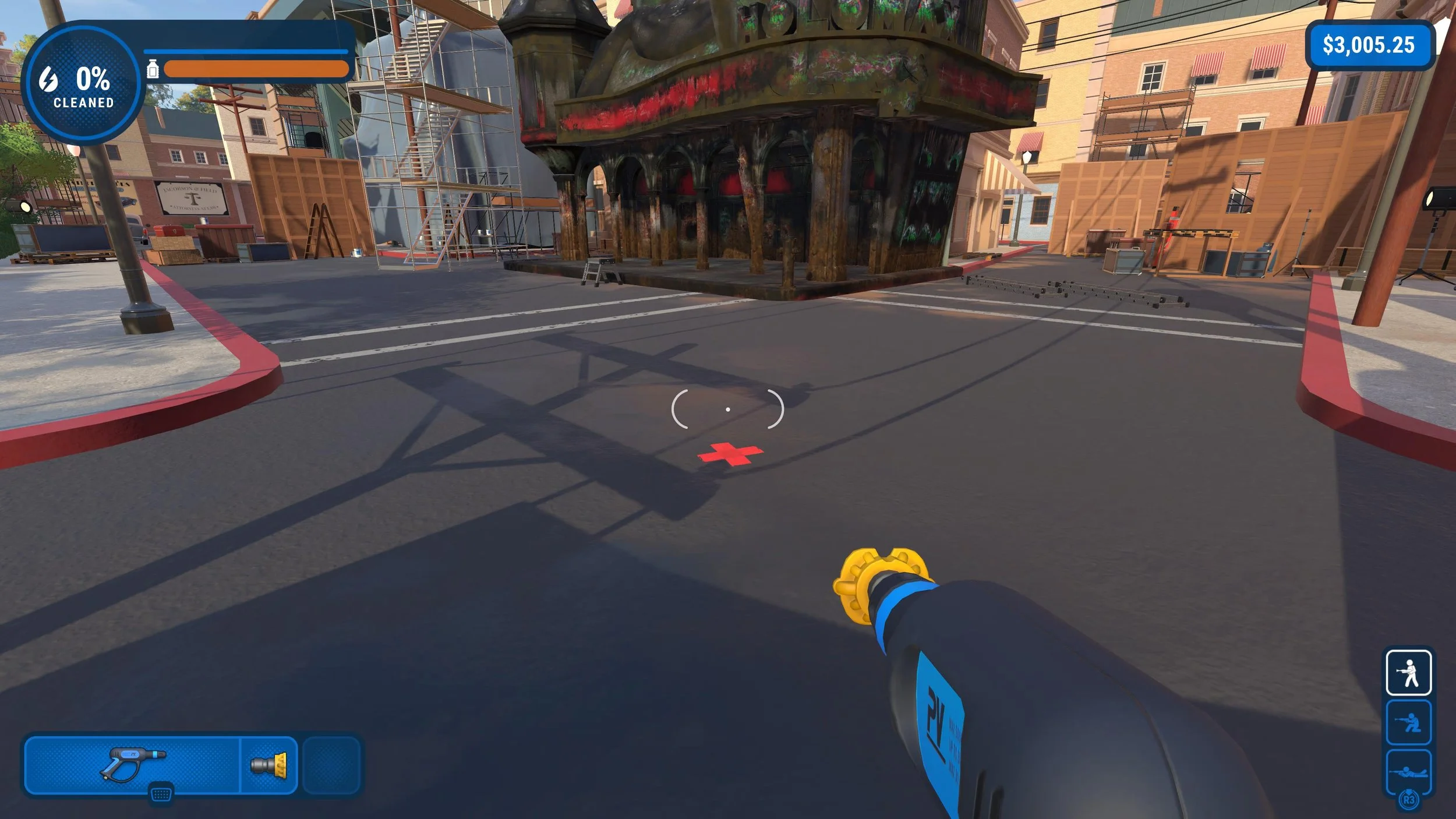
Stand on the red X and face the theater. If you look up just a bit at the Jaws 19 sign, a massive holographic shark will spawn and chomp its way past you. As soon as this happens, you should earn the "Shark Still Looks Fake" trophy or achievement.
Before you begin cleaning anything in the Holomax Theater job, though, you can also snag the "Back to the Theater" trophy or achievement by cleaning the front and back of the giant grid wall on top of the theater. Knock that out before you complete any other items to score the trophy or achievement, and then get to work on everything else. It's a long job!
PowerWash Simulator is available now on PlayStation 4, PlayStation 5, Xbox One, Xbox Series X, Nintendo Switch, and PC.