The Switch 2 is finally in our hands and one of the more anticipated features is the GameCube classics like Wind Waker. While I still wish it was the HD version, this will have to do for now. You might as well enjoy it at the best setting and for that, the CRT filter is 100% recommended.

Step 1 - Download and Launch the GameCube app from Nintendo Online
Remember, you have to have NSO AND the Expansion Pak.
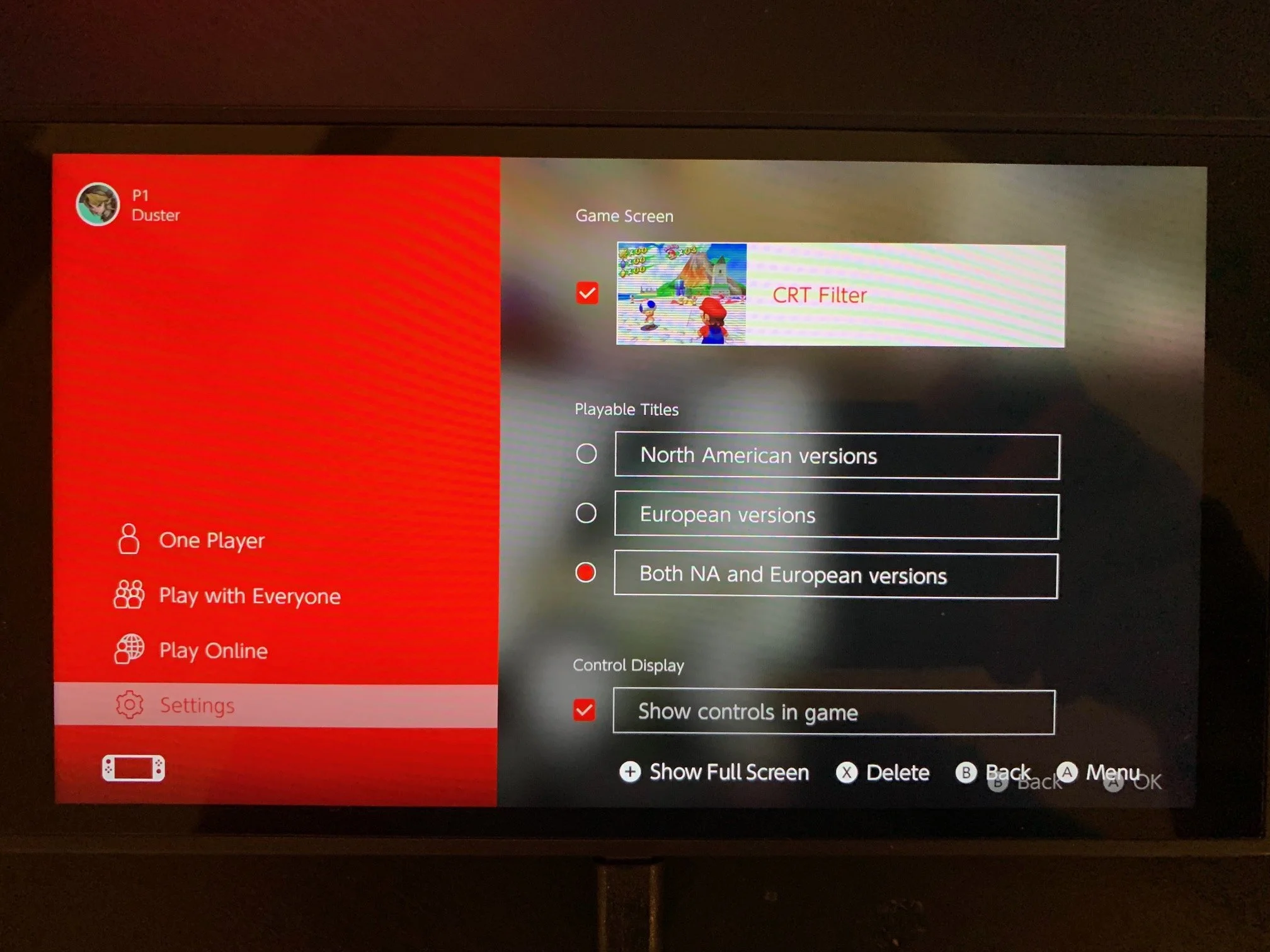
Step 2 - Go into the setting menu and enable the CRT Filter
This is also where you’ll find the option for NA and EU edition filters.
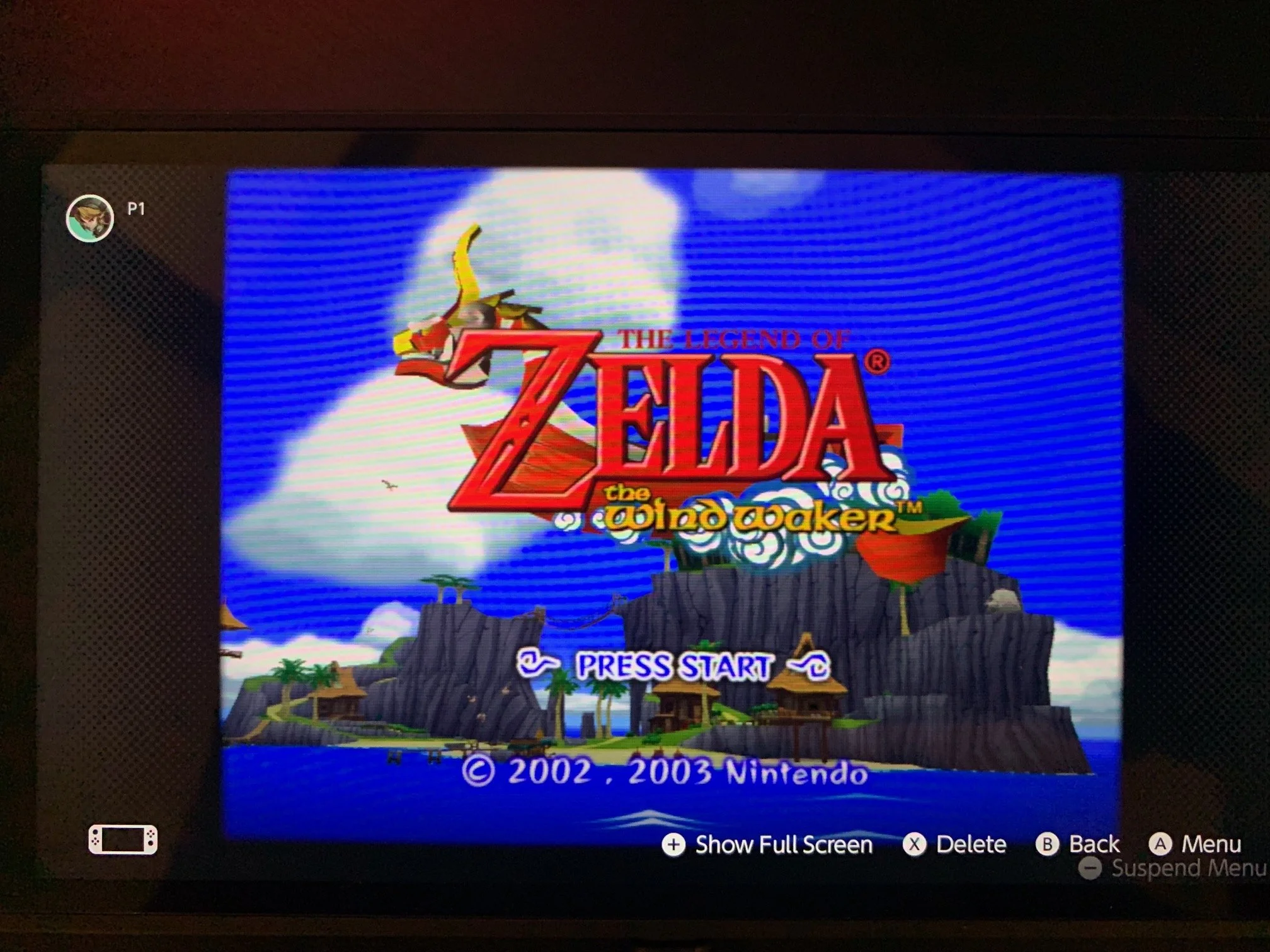
Step 3 - Launch a GameCube game and check the results
Ahhh.. Old school TV bliss!