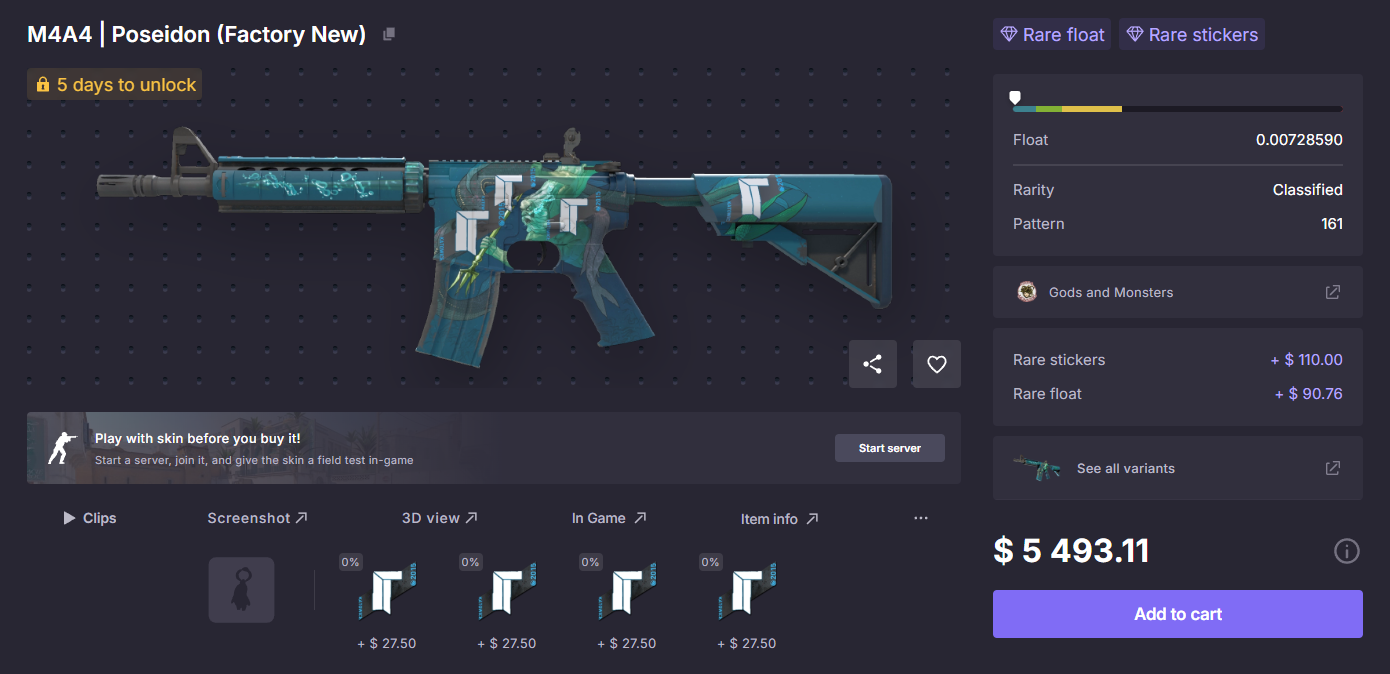
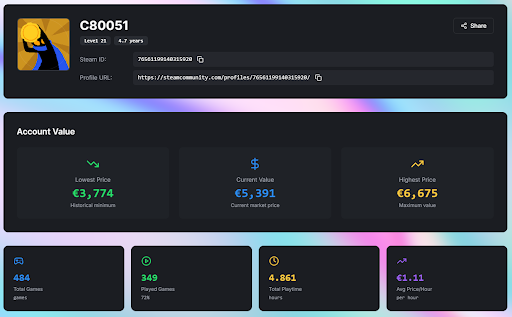
A CS2 inventory can look easy to price until the numbers start to matter. Steam shows skins, listings, recent sales, and item names, but it does not always show the real value behind the inventory. A few common skins can be estimated quickly. A collection with knives, gloves, rare floats, sticker crafts, or old cases needs a more careful check.
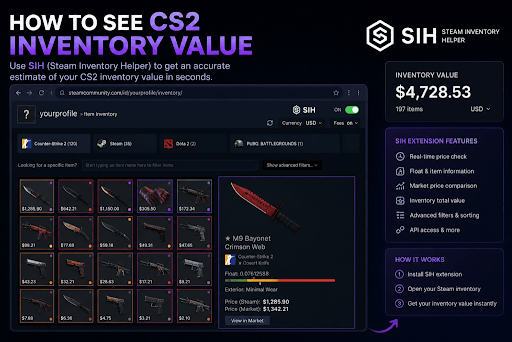
The practical way to understand how to see cs 2 inventory value is to use asteam inventory helper (sih), scan the Steam inventory, review the estimated total, and then manually check the items that can change the final number. The estimate is a starting point, not a guaranteed sale price, because CS2 skin value depends on float, liquidity, market demand, stickers, patterns, and the difference between Steam prices and external market prices.
Why CS2 Inventory Value Is Not Just One Number
Steam gives a useful first look at inventory value, but it was not designed as a full valuation system for serious skin trading. It shows market listings and item pages, yet many pricing details remain hidden or require extra checking.
That matters because two skins with the same name and exterior condition can have different values. One may have a better float. Another may have valuable stickers. A third may carry a rare pattern. On the Steam page, they can look almost identical. In the market, buyers may treat them very differently.
Steam Price Is Only the Baseline
Steam market prices are useful because they show activity inside the main Counter-Strike ecosystem. For common skins, cases, and popular items, Steam pricing can be close enough for a quick estimate.
The problem appears with items that are less standard. Knives, gloves, rare crafts, and pattern-based skins often need item-level review. A visible listing price does not always mean the item will sell for that amount. It only shows what sellers are asking.
Inventory Value Depends on Sellability
A CSGO inventory can look expensive on paper and still be difficult to sell quickly. Liquidity matters. Popular skins with active demand are easier to price. Niche crafts or unusual collector items may need more time to find the right buyer.
That is why a realistic inventory check should separate listed value from sellable value. The first number may look clean, but the real market often needs more context.
How SIH Helps Check CS Inventory Value
SIH.app is useful because it adds trading context to the Steam inventory and market experience. Instead of checking every item through separate pages and tools, users can bring price comparison, rare float discovery, market tracking, buying tools, and API access closer to the place where inventory decisions are made.
The steam inventory helper helps traders move faster, but the bigger value is not only speed. It helps make the inventory easier to read. A trader can see which items carry most of the value, where prices may need comparison, and which skins deserve a closer manual look.
What to Check First
The first step is to scan the inventory and get a rough total. This gives the baseline. After that, the inventory should be sorted by value so the most important items appear first.
A knife, pair of gloves, rare rifle skin, or expensive sticker craft deserves more attention than dozens of low-value skins. Small pricing errors on expensive items can change the final estimate much more than tiny differences across cheap items.
What SIH App Can Add to the Process
A proper inventory check is stronger when several signals are visible together. Price alone is not enough.
| Inventory Signal | What It Shows | Why It Matters |
|---|---|---|
| Estimated total value | Broad value of the Steam inventory | Gives a fast starting point |
| Item-level pricing | Value of each skin, case, sticker, or item | Shows where the inventory value is concentrated |
| Price comparison | Difference between Steam and other markets | Helps avoid relying on one isolated price |
| Float value | Exact wear number of a skin | Cleaner floats may increase demand |
| Rare float discovery | Skins with unusually strong wear values | Helps spot items that need closer review |
| Market trends | Recent movement in price or demand | Helps avoid outdated valuation assumptions |
| API access | Structured data for advanced workflows | Useful for traders, dashboards, and custom tracking |
The strongest estimate comes from combining these signals. A total number is helpful, but the item details explain whether that number is realistic.
Step-by-Step Method to Check a CS2 Inventory
A clean inventory review should move from broad numbers to specific items. This keeps the process fast without missing the details that affect value.
Start with the full inventory scan. Then move into manual inspection only where it matters. Most inventories do not need every item checked equally. The expensive and unusual items are where the biggest pricing gaps usually appear.
A Simple Workflow
Use this order when checking a CS GO inventory:
Open the Steam inventory.
Scan the inventory with a SIH Chrome extension or valuation tool.
Review the estimated total.
Sort items from highest value to lowest value.
Check knives, gloves, rare skins, and expensive crafts first.
Review float values and exterior condition.
Look for rare patterns and sticker value.
Compare Steam prices with external market prices.
Treat the result as a value range, not a fixed sale number.
This workflow works because it starts with speed and finishes with judgment. The tool gives the broad estimate. Manual review protects against obvious mistakes.
Why Sorting by Value Matters
Most CS 2 inventories are uneven. A few items often carry most of the total value. If an inventory has one knife, one pair of gloves, and many cheap skins, the knife and gloves deserve the deepest review.
Sorting by value prevents wasted time. Cheap cases and common skins can usually be estimated quickly. Expensive skins need closer attention because float, pattern, or market demand can change their real price.
Steam Value vs Real Market Value
Steam value is not always the same as real market value. Steam prices exist inside the Steam ecosystem, where funds stay within Steam. External markets may show different prices because users can often sell for withdrawable money, and each marketplace has its own fees, demand, and liquidity.
This difference is important when checking inventory value. A cs2 inventory may look higher on Steam than it would on a cash market. That does not make the Steam estimate useless. It just means the number needs context.
Three Ways to Read Inventory Value
There are three useful ways to understand CS2 inventory value.
| Value Type | Meaning | Best Use |
|---|---|---|
| Steam reference value | Value based mostly on Steam market pricing | Useful for general comparison and Steam-based decisions |
| Market-adjusted value | Value after comparing Steam with external market data | Useful for realistic trading and selling decisions |
| Fast-sale value | Lower estimate based on selling quickly | Useful when speed matters more than maximum price |
A liquid inventory with popular skins may have a smaller gap between these values. A rare or collector-heavy inventory may have a much wider gap.
Why Float Can Change the Final Estimate
Float is one of the clearest reasons why two similar csgo skins can be worth different amounts. The exterior condition gives a broad label, such as Factory New, Minimal Wear, Field-Tested, Well-Worn, or Battle-Scarred. Float gives the exact wear number inside that label.
Two Field-Tested skins can look very different. One may be close to Minimal Wear and look clean in-game. Another may sit near Well-Worn and show more visible damage. Both have the same exterior condition, but buyers may not value them equally.
Float Matters Most on Expensive Items
Float can matter on any skin, but it becomes more important with knives, gloves, and expensive weapon skins. Buyers inspect these items carefully. A cleaner float can improve resale confidence and sometimes justify a stronger price.
Not every low float creates a large premium. The item still needs demand. But ignoring float entirely is one of the fastest ways to misread inventory value.
Stickers, Patterns, and Rare Details
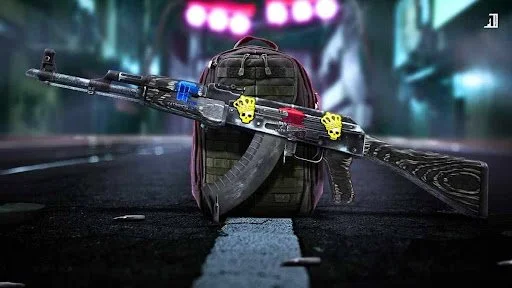
Sticker crafts and pattern-based skins are difficult to price automatically. An applied sticker does not usually add its full market value to the weapon. The actual premium depends on the sticker, placement, weapon choice, visual fit, rarity, and whether buyers care about that exact craft.
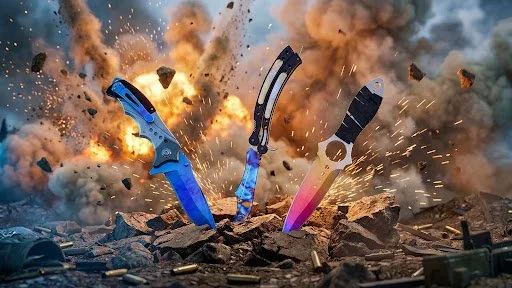
Patterns can also change value. Some Case Hardened, Fade, Doppler, Slaughter-style, and other pattern-sensitive skins may be priced differently from ordinary versions of the same item.
Manual Review Is Still Needed
Tools can surface useful data, but they cannot fully replace market judgment. A rare sticker does not always mean a strong premium. A rare pattern does not always mean fast liquidity. A high listing does not always mean real buyer demand.
The best approach is to use tools to find what deserves attention, then review those items carefully before trusting the final number.
When an Automatic Estimate Is Enough
An automatic inventory estimate is usually enough for a rough check when the inventory contains common, liquid items. Cases, popular rifles, ordinary agents, standard stickers, and mid-volume skins are easier to price because there is enough market activity around them.
The estimate becomes less reliable when the inventory contains rare floats, expensive knives, gloves, old stickers, unusual patterns, or niche collector items.
That is where the phrase steam inventory worth should be treated carefully. The better question is not only “what is the total?” but also “which items create that total, and how realistic are those prices?”
Common Mistakes When Checking Your Inventory Value
The most common mistake is trusting the first total without checking what is inside it. A large number can look impressive, but it may depend on inflated listings or items that are hard to sell.
Another mistake is ignoring the gap between Steam value and cash value. Steam prices are important, but they do not always match what the same items would sell for elsewhere.
A third mistake is treating stickers and patterns too mechanically. Rare details matter only when they create real buyer interest. A skin is worth more when the market agrees, not just because the owner wants a premium.
Conclusion
Checking CS2 inventory value is not about finding one magic number. A useful estimate starts with a scan, then improves through item-level review. Steam prices provide the baseline, while float, stickers, patterns, liquidity, and external market comparison explain how realistic that baseline is.
SIH.app fits this workflow because it gives traders more context while they work inside the Steam ecosystem. It helps with inventory value, price comparison, rare float discovery, market tracking, item buying, and advanced API workflows.
For a quick check, an automatic estimate may be enough. For a serious valuation, especially with knives, gloves, rare floats, or sticker crafts, the final number should always be read as a realistic range.
FAQ
How do I check my CS 2 inventory value on Steam?
Open your Steam inventory, use a SIH Chrome extension or inventory valuation tool to scan the items, then review the estimated total. For expensive or unusual items, check float, stickers, patterns, and external market prices before treating the number as realistic.
Is Steam inventory value the same as cash value?
No. Steam value is usually based on Steam market prices. Cash-oriented market value can be different because of fees, liquidity, payment options, and buyer behavior outside Steam.
Why does my inventory value change?
Inventory value changes because skin prices move with supply, demand, updates, case trends, tournament hype, and market activity. Individual item details like float, stickers, and pattern can also affect the estimate.
Can SIH show the exact value of my inventory?
SIH can help estimate inventory value and show useful pricing context, but no tool can guarantee the exact sale price. The final value depends on market conditions, item liquidity, and how carefully rare or expensive items are reviewed.
What items should I check manually?
Knives, gloves, expensive rifle skins, rare floats, sticker crafts, old cases, and pattern-based skins should be checked manually. These items are more likely to be mispriced by a simple total estimate.