Disclosure: This is a paid guest post. The author or an affiliated third party paid for its publication, and the article may contain promotional links. The views and opinions expressed are those of the author and do not necessarily reflect those of GameTyrant or its editorial staff.
Patch notes tell a player what changed. A trailer beat has to show one of those changes without a capture rig, a mocap stage, or a week inside the engine. The failure mode is familiar to anyone who has shipped a game page: the line says "cinematic boss" and the clip returns a costume, a camera, and a UI that the build does not have. text to video can draft that beat from a script, but the script has to be timed and specific before anyone hits Generate.
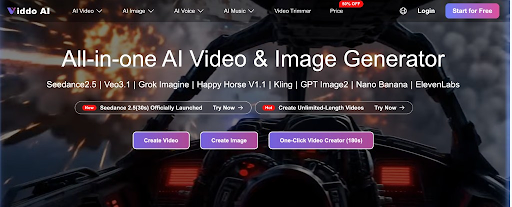
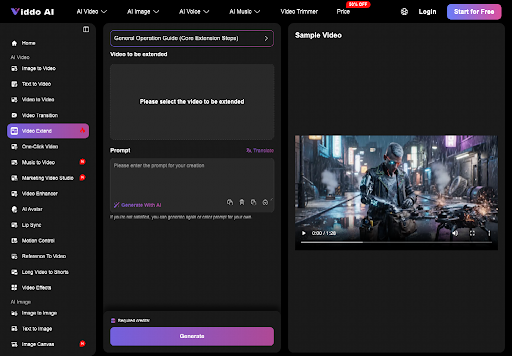
Treat the tool as a layout pass for a shot you can describe, not as a replacement for gameplay capture. Viddo AI's text-to-video path is: choose Text to Video, enter the prompt, pick a model, generate. A model such as Veo is one of the choices on that path. Images elsewhere on the workspace return in seconds. A video takes a few minutes. Use those minutes to read the clip against the script, not to invent a second boss.
Write The Beat Before You Open Generate
A trailer beat is one idea with a clock. Eight seconds is a useful ceiling for a first pass, because that is long enough for a camera move and an action, and short enough that you can see a mistake. The homepage examples are built that way: a fixed camera, a short timeline, an action, a stop. You do not need their furniture or their forest. You need the shape. Write your beat in that shape before you touch the panel.
If you open Generate first, the prompt becomes a mood. Moods produce footage that looks expensive and cannot be defended in a review with the live-ops lead. The lead will ask which build, which character, which corner stays clear for UI. "Cinematic" is not an answer. A timed line is an answer.
Name the subject in the build's own words. Boss, weapon, vehicle, not a synonym you hope sounds bigger.
Name the camera. Fixed, push-in, or a short pan. One move.
Name the action and when it ends.
Name what must not appear. Extra characters, readable lore that is wrong, a health bar you did not design.
What A Trailer Line Must Already Contain
Steal the discipline of a shot list, not the prose of a keynote. A usable line says who is in frame, what they do, how the camera behaves, and how long it lasts. It also says what the frame is for. A store page beat can show a silhouette and a weapon. It should not try to teach a combo. Teaching a combo is capture, or it is a UI mock you composite later.
Put the negative in the same line. No second fighter unless the mode is a duel you actually ship. No floating damage numbers unless that font is yours. No title card with the game name, because generated letters go wrong and your logo already exists as art. The model is good at implying a genre. It is unreliable as a typesetter for a patch name.
This is also where you decide the frame. A widescreen trailer and a vertical community post are different beats. If you write one prompt and crop it twice, you will cut off the action you just specified. The ratio is part of the script.
Prepare The Prompt On The Text Panel
When the line exists, move it to the panel. Select the model once and stay with it for the compare. Changing models every take gives you three styles and zero verdicts. Then paste the timed line. If you wrote it in a hurry, use the prompt translate control so the working prompt is in English. The panel says English prompts tend to behave better. Translation is not a rewrite. If the English version adds "epic army" and your script said one boss, delete the army before you generate.
Translate The Prompt Before You Generate
Read the translated prompt out loud against the four lines you wrote. Subject, camera, action, ban list. Anything new is a drift you introduced, not a gift from the model. Keep proper nouns from the game as they are. Do not let a translation "clarify" a character into a different class. Then set ratio and length to the beat you wrote. Generate. Go do something else for those few minutes. Staring at the spinner does not improve the silhouette.
Lock The Ratio To The Trailer Frame
16:9 if the beat sits in a widescreen trailer or a press page. 9:16 if it sits in a vertical post. Pick one. A trailer beat that must later become both should be written twice, because the action that fits a wide frame often happens at the edge a vertical crop will lose. Locking ratio first is how you stop a review that is actually a crop argument.
Read The Clip Back Against The Script
Play the clip once for the action, then scrub for the contract. Does the subject match the name you wrote? Does the camera move match, or did it wander into a second angle? Does the action finish, or does the clip invent an aftermath? A beat that cannot answer those three questions misses the contract. Call it a miss, and generate again.
Check Silhouette UI And On-Screen Words
Pause where a logo, a subtitle, or a UI chip would have to sit. If the clip already drew letters, read them. Wrong letters are unreadable as game copy even when they look like a font. If the silhouette gained a cape, a helmet, or a weapon you did not name, that is a wrong character for the store page. Reject the take. Do not cover the error with a grade and a music sting. The sting will not fix a second sword.
| Check | Pass | Fail |
|---|---|---|
| Subject | The boss or weapon you named | A different class or an extra fighter |
| Camera | The one move in the script | A second angle or a cut you did not write |
| Words in frame | None, or only words you supplied as art later | Generated title, patch number, or UI text |
| End | The action completes and stops | A new scene starts because the clip ran long |
One fail is enough. You do not average a good silhouette against a wrong weapon. Generate again from the same script with the ban list shorter and sharper. Rework at this stage is a prompt edit. Rework after the beat is in the trailer is a recut and a delayed page.
Three Fails That Waste A Trailer Pass
The first waste is a prompt that names a genre and not a subject. You will get a costume montage. A script to video line has to name the subject or it cannot sit next to patch notes, because patch notes are specific. The second waste is duration with no ending. If you ask for a long clip and do not say when the action stops, the model will keep inventing. The third waste is using the clip as gameplay proof. A generated beat is not a captured match. Players who notice will not argue about taste. They will say the footage is fake, and they will be right about the capture.
None of these fails means the workspace cannot help. They mean the script was asked to do a job it was not given. Viddo AI will generate the words you typed. It will not retrieve your design doc. If the design doc and the prompt disagree, the prompt wins inside the clip, and you lose in the comments.
Keep Patch Notes Out Of The Shot
Put numbers, dates, and mode names in the caption or in real UI you composite. Do not ask the generator to paint "season 4" into the sky. Painted text is where trailers become unreadable and where a wrong digit ships. The same rule covers subtitles. If you need a line of dialogue, record it or set it in your editor. The panel can add narration on some image-led flows. A trailer beat that must match approved copy should not discover its own sentences.
Keep the character count honest too. A duo trailer is a different script from a solo one. If someone later asks for a crowd, that is a new beat with a new ban list, not a toggle on this file. Crowds change silhouettes. Silhouettes are the thing a store thumbnail has to survive.
Ship The Beat Or Return To The Script
Ship the beat when the table passes and the clip could play under the caption you already wrote. Return to the script when the subject, the camera, or the ending drifted. Do not return by adding adjectives. Return by cutting the line back to subject, move, action, and ban.
That pass belongs in previsualization and in store-page motion when capture is not ready. It does not belong in a patch that claims "this is the build." Viddo AI can hold the first job if the script is already a shot. If the script is still a mood, you are not late on rendering. You have not written the beat.