While Miis can have nicknames for other Miis in Tomodachi Life: Living the Dream, they also have a specific name or title for you. You may not like what you initially picked, either. So luckily, you can alter your title at any time. If you’re not sure where to look, we’ll help you figure out how to change what your Miis call you in Tomodachi Life: Living the Dream.
How to change your title in Tomodachi Life: Living the Dream
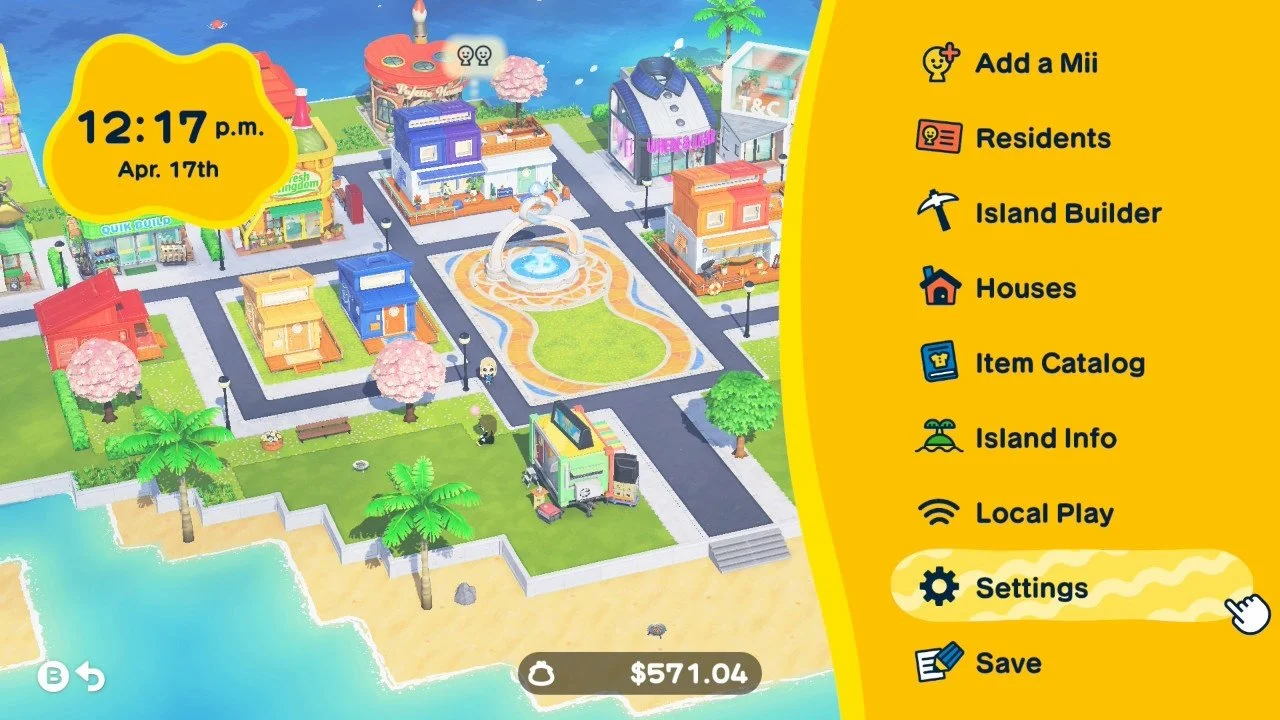
To change what your Miis call you in Tomodachi Life: Living the Dream, start by pressing the + button to open the menu and select Settings. From there, choose Player Settings, and you’ll see three different options you can play around with.
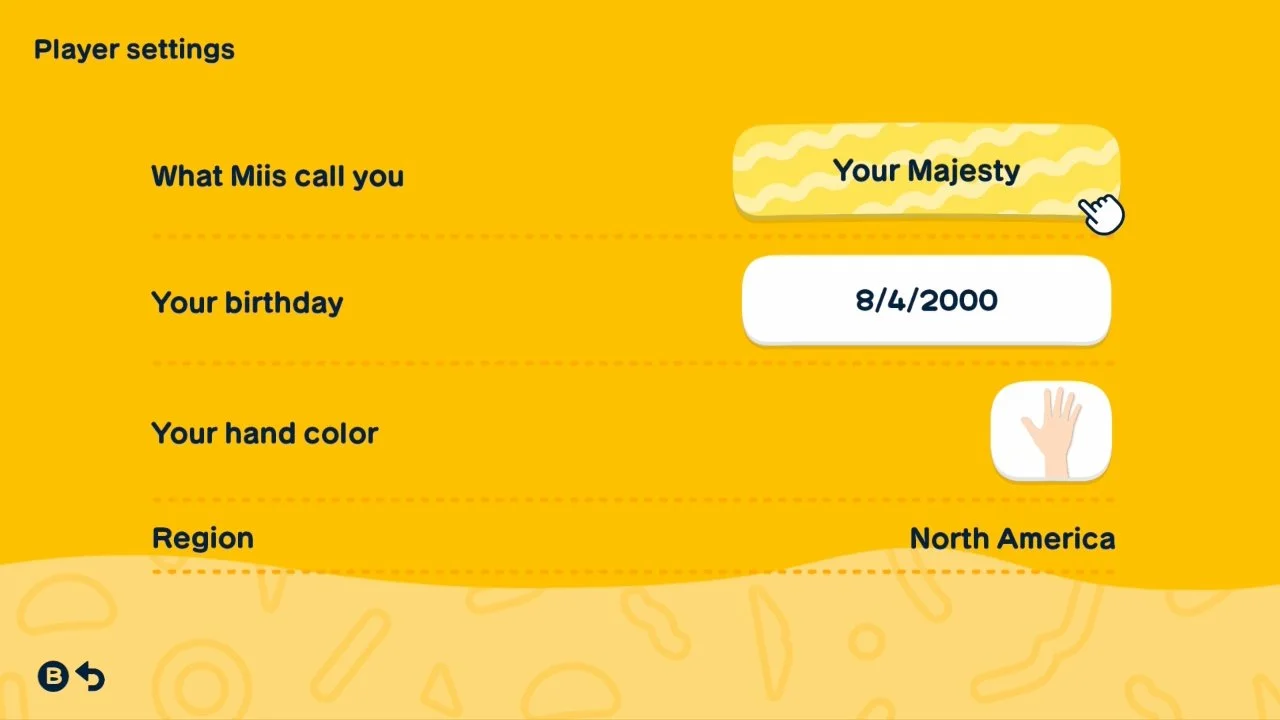
The first option lets you change what your Miis call you. Select that, and then type in the new title you’d like to be called. Other than those settings, you can change your birthday and what skin color you’d like your hand to be. The only setting here you cannot alter is your region.
From there on out, your Miis will start referring to you by your new name! With that out of the way, you can get to more important things, like making your Miis romance each other.