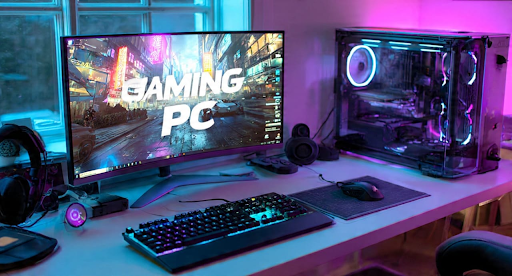
Your gaming setup is more than just a computer; it’s your workspace, your game station, and possibly even part of your creative business. However, many forget that all the effort invested in building your gaming PC can be undone in seconds by a sudden power surge or a voltage drop.
Electrical instability can cause more than just inconvenience. It can corrupt files, wear down your expensive components, and even destroy your entire build. Protecting your setup involves more than plugging things in and hoping for the best. With the right tools and habits, you can shield your system from silent damage and keep it performing at its best for years. This includes everything from choosing the right desktop power cord to rethinking how and where you plug your machine in. Even something as simple as upgrading to a rotating plug extension cord can make a real difference in safety and performance.
Surge Protectors Are Not All the Same
If you are plugging your expensive gear into the cheapest strip you found at the shop, it might be time to reconsider. A proper surge protector does more than add outlets. It acts as a barrier between your hardware and the sudden spikes that can occur from lightning, grid fluctuations, or appliances switching on and off.
Look for models with a higher joule rating, ideally over 2,000 for gaming PCs. That number shows how much energy it can absorb before failing. It is also important to check for an indicator light that tells you when the protection is no longer active. Many people keep using “dead” surge protectors without knowing they offer no protection.
Use a UPS to Handle Voltage Drops
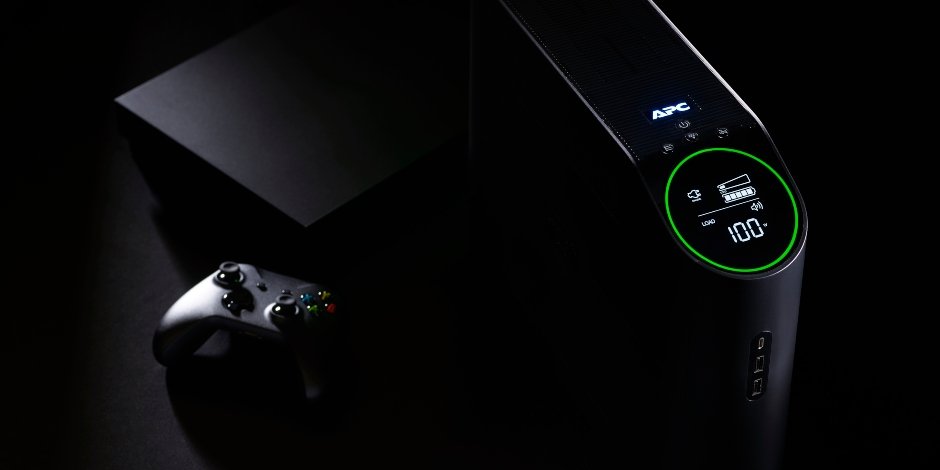
While a surge protector blocks sudden spikes, a UPS (uninterruptible power supply) helps when the voltage drops or cuts out entirely. Brownouts are just as harmful as surges. When the voltage dips, your PC may restart or shut down suddenly, which can damage files or even hardware.
A UPS provides a short window of backup power so you can save your work or shut down safely. It also stabilizes power delivery, helping avoid the subtle wear and tear that unstable power causes over time. Choose a model that supports at least the wattage of your system, including the monitor and any critical peripherals.
The Right Cord Makes a Big Difference
It might seem minor, but choosing the wrong cord can create serious problems. Your power cord should match the power supply requirements and be free from wear or visible stress. If it is too long or too thin, it may heat up or drop voltage under heavy load.
Take It a Step Further with Whole-House Protection
For gamers living in storm-prone areas or older homes, it might be smart to think bigger. Whole-house surge protection is installed at the breaker panel and protects every outlet in the home. When combined with individual surge protectors for your PC, this gives you a layered defence against external and internal surges.
This approach is especially useful if your gaming space shares a circuit with other appliances like fridges or heaters. Those can send small, repeated surges into the line every time they cycle on or off. A whole-house unit keeps those pulses from ever reaching your desk.
Stay on Top of Cooling and Cleanliness
Heat and dust might not be electrical issues, but they amplify the risks. A brownout that cuts fan power can raise internal temperatures fast. Dust clogs filters, slows fans, and traps heat inside your system. All of this makes your PC more vulnerable when something does go wrong.
Clean your case regularly. Keep airflow paths clear. Avoid placing your tower in enclosed shelves or near heat sources. When everything runs cool and clean, your components can tolerate short power events better and last longer overall.
Monitor Your Power Like a Pro
One of the most overlooked tools for power safety is visibility. A plug-in voltage meter or smart UPS can help you track how stable your wall outlet really is. If you notice frequent drops or unexplained reboots, it might not be your PC at all. Your home’s wiring could be sending unstable power.
Monitoring gives you a chance to act early. You can move your gear to a different outlet, consult an electrician, or upgrade your protection before something gets fried. If you value your system, it's worth knowing what it's up against behind the scenes.