Dek: We spent half a decade chasing teraflops and 8K badges. The quiet revolution wasn’t resolution at all — it was motion. In 2025, 60 frames per second (and beyond) finally became the default expectation on consoles, and players aren’t going back.
TL;DR (for the scroll-happy)
60 FPS is the everyday upgrade you can feel: lower input lag, cleaner motion, fewer headaches.
VRR TVs + smarter upscalers + saner engine budgets made high-frame modes the standard.
“Cinematic 30” still has a lane, but only with immaculate frame pacing and animation authored for that cadence.
Devs: design for 60 first, then scale visuals. Players: enable VRR/ALLM, pick Performance, kill post-process blur.
Pull-quote:Resolution is a screenshot. Frame rate is a feeling.
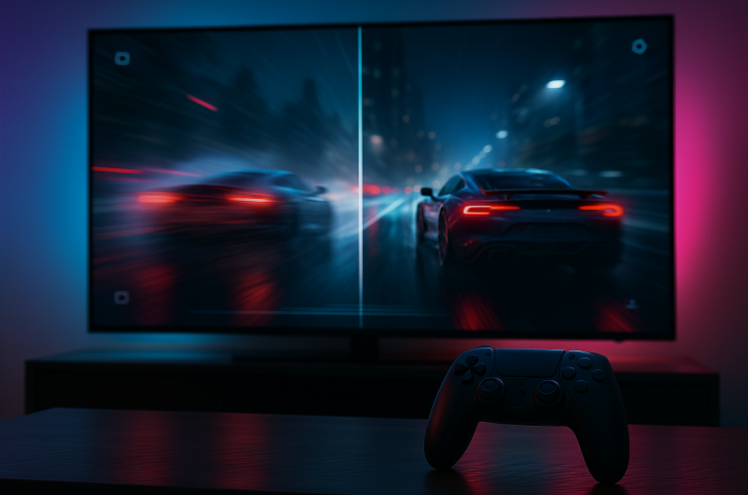
The Frame-Time Reality Check
Gamers love big numbers; your brain loves timing.
At 30 FPS, each frame hangs around ~33.3 ms.
At 60 FPS, it’s ~16.7 ms—your inputs land a full frame sooner.
That’s the difference between “fine” and buttery: steadier camera pans, less motion sickness, and better legibility in chaos. Add VRR and disciplined frame pacing, and you eliminate most of what felt “off” last gen.
Why 2025 Was the Tipping Point
Living rooms finally caught up. 120 Hz panels with low input lag and VRR/ALLM are table stakes, not luxury. The TV stopped bottlenecking the box.
Upscalers got clever. Temporal reconstruction made 1440p-ish inputs look convincingly “4K-enough” without torching the GPU.
Budgets went holistic. Studios learned to treat CPU/GPU/bandwidth as one budget. Performance modes aren’t afterthought toggles; they’re design targets.
Expectations hardened. Once you feel 60 in shooters, action, racers, or fighters, 30 becomes a style, not the default compromise.
The Case for 30 - When It Actually Works
“Cinematic 30” isn’t dead it’s specialized. If you’re aiming for painterly lighting, heavy simulation, or dense crowds, a locked 30 can be valid only if:
Frame pacing is perfect (no 28-33 FPS wobble), and
Animation is authored for that cadence.
If your “Quality Mode” swims in film grain and ghosting, players will flip to Performance and never look back. Rule of thumb: if your 30 isn’t butter, don’t ship it or call it Photo Mode and be honest.
Feel It Yourself: Quick Player Setup
Display: Enable VRR + ALLM on TV/monitor and console.
Game settings: Pick Performance Mode, disable motion blur, lower heavy film grain, consider mild sharpening.
Sensitivity: Bump camera/aim a tick at 60 you can track faster without overshoot.
Latency chain: Use a wired pad or low-latency wireless profile; never game with Game Mode off.
Design for 60 First (Notes to Devs)
Author motion at 60. Traversal curves, aim accel, and blend trees tuned at 60 downsample gracefully to 30 not vice versa.
CPU is king. 60 dies on scheduling stalls: AI ticks, physics spikes, streaming hitches. Profile variance, not just averages.
Clarity > clutter. Over-aggressive TAA, stacked post effects, and smeary materials multiply ghosts at any frame rate. Keep materials readable at velocity; keep HUD crisp.
Let players pick their poison:
True 60 (dynamic res if needed),
40 FPS for 120 Hz panels (great middle),
Locked 30 only if flawless.
Respect VRR windows. Target a defendable floor (e.g., 50–60) that stays inside common panel ranges; dips below feel worse than a dynamic res drop.
The Competitive Edge of Smooth
Shooters/Action: Cleaner tracking, tighter hit confirmation, and aim assist that feels predictable, not “sticky.”
Racers: Brake points turn into muscle memory; micro-corrections stop becoming over-steer.
Fighting/Rhythm: Consistency is king frame-tight links, parries, and timing windows become learnable instead of “internet weather.”
The New Visual Flex
No, 60 doesn’t have to look “ugly.” The 2025 flex is not “we brute-force ray tracing.” It’s:
“We shipped a gorgeous 60 with perfect pacing.”
Smart lighting budgets, disciplined materials, and camera paths that respect motion always beat a maximum-everything 30 with shimmer and smear.
Accessibility: Comfort Is a Feature
For many, 60 isn’t about sweat it’s comfort. Reduced judder and latency help players prone to motion sickness and make high-contrast scenes easier to parse. Accessibility isn’t only remappable inputs; it’s motion hygiene.
Benchmarks for Platform Holders (Yes, We’re Looking at You)
Make 60 the certification default. If you can’t deliver, require a clear justification and exemplar-grade 30 pacing.
Expose latency metrics. Let players see input-to-photon numbers per mode—sunlight is the best optimizer.
Ship motion test patterns. Built-in checks for VRR range, response time/overdrive, and black frame insertion would end the “YouTube settings” rabbit hole.
“But My Screenshot!”
We get it photo mode is art. Capture in Quality Mode if you must. Then play in Performance. Photographers shoot in RAW and share JPEGs; no one calls that cheating. Your eyes deserve the playable version.
Bottom Line
Resolution is marketing. Frame rate is design.
In 2025, “next-gen” turned out to be time itself: consistent frame times, low latency, and motion that respects human physiology. Keep your 8K badges. We’ll take a locked 60 with great pacing every single time.
Author’s Take
As someone who’s been covering gaming tech for years, I’d argue that this 60 FPS era feels like the industry’s version of finally discovering gravity. Once motion feels right, you can’t unfeel it — much like discovering a quality-of-life bonus in another domain you never knew you needed.
Gamers are chasing smoothness the same way players hunt for bonus spins in nowe kasyna darmowe spiny bez depozytu (new casinos with free spins no deposit). In both cases, it’s about pure experience — that sense of effortless reward that makes you say, “Oh, I’m never going back.”
Sidebar: Quick Checklist (Embed-Friendly)
TV/Monitor: 120 Hz + VRR + Game Mode = ON
Console/Game: Performance Mode + motion blur OFF
Controller: Low-latency profile (or wired)
In-game: Retune sensitivity after switching to 60
Bonus: On 120 Hz screens, try 40 FPS modes—surprisingly smooth
Bonus Mini-Glossary (for readers who love the nuts & bolts)
Frame Time: How long each frame takes to render. Lower = snappier.
Frame Pacing: Consistency of frame times. Smooth pacing beats fluctuating averages.
VRR (Variable Refresh Rate): Syncs the panel to the game’s frame output to kill tearing and reduce judder.
ALLM (Auto Low Latency Mode): Puts your display into its lowest-lag profile automatically.
Temporal Upscaling/Reconstruction: Uses info from prior frames to make lower-res inputs look higher-res with less cost.