Disclosure: This is a paid guest post. The author or an affiliated third party paid for its publication, and the article may contain promotional links. The views and opinions expressed are those of the author and do not necessarily reflect those of GameTyrant or its editorial staff.
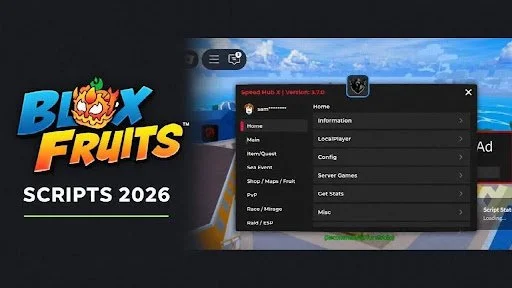
Playing Blox Fruits is exciting, but repeating the same quests and fighting enemies to gain levels can become tiring. Finding fruits, travelling between islands, and collecting materials also take time, especially when you are working towards a specific upgrade.
That’s why some players look for Blox Fruit scripts. These third-party programs are designed to automate tasks or add a menu with extra controls. Depending on the script, the advertised options may include auto farming, fruit notifications, teleportation, and raid automation.
Some scripts are listed as keyless, which means they do not require a separate script access key. However, this depends on the current version, and the executor may still require its own activation.
In this guide, we’ll look at 12 Blox Fruit script loaders, explain how to use them, and cover the features players usually search for.
Blox Fruit Scripts List
Below are 12 loaders collected from script directories and their linked repositories. Their entry-point addresses were accessible during research, but their in-game functionality has not been tested.
Not every option is confirmed keyless. Access requirements and compatibility can change between releases.
1. Redz Hub
loadstring(game:HttpGet("https://raw.githubusercontent.com/tlredz/Scripts/refs/heads/main/main.luau"))()
2. Speed Hub X
loadstring(game:HttpGet("https://raw.githubusercontent.com/AhmadV99/Speed-Hub-X/main/Speed%20Hub%20X.lua"))()
3. Bear Hub
loadstring(game:HttpGet("https://raw.githubusercontent.com/Huylovemy/Bearhudz/refs/heads/main/Bearhud.lua"))()
4. BlueX Hub
loadstring(game:HttpGet("https://raw.githubusercontent.com/Dev-BlueX/BlueX-Hub/refs/heads/main/Main.lua"))()
5. Cokka Hub
loadstring(game:HttpGet("https://raw.githubusercontent.com/UserDevEthical/Loadstring/main/CokkaHub.lua"))()
6. Vxeze Hub
loadstring(game:HttpGet("https://raw.githubusercontent.com/Dex-Bear/Vxezehub/refs/heads/main/VxezeHubMain"))()
7. Maru Hub
getgenv().Team = "Marines"
loadstring(game:HttpGet("https://raw.githubusercontent.com/LuaCrack/KimP/refs/heads/main/MaruHub"))()
8. Dat Thg Hub
loadstring(game:HttpGet("https://raw.githubusercontent.com/LuaCrack/DatThg/refs/heads/main/DatThgV2"))()
9. Aurora
loadstring(game:HttpGet("https://raw.githubusercontent.com/Jadelly261/BloxFruits/main/Aurora", true))()
10. Min Hub
loadstring(game:HttpGet("https://raw.githubusercontent.com/JonnyCheeser/bloxfruits/main/minhubv4"))()
11. HoHo Hub
loadstring(game:HttpGet("https://raw.githubusercontent.com/acsu123/HOHO_H/main/Loading_UI"))()
12. Quantum Onyx
loadstring(game:HttpGet("https://raw.githubusercontent.com/flazhy/QuantumOnyx/refs/heads/main/QuantumOnyx.lua"))()
What Is a Blox Fruit Script?
A Blox Fruit script is a program written in Lua or Luau that players attempt to run through a third-party executor. Once a compatible script loads successfully, it may display a menu where different functions can be selected.
For example, a farming hub may offer settings for quests and enemies, while another hub may focus on fruit notifications or navigation.
Most scripts shared online are short loaders. The loader downloads the main program from another address rather than containing every feature itself. If that remote file changes or becomes unavailable, the script may stop working.
These loaders are different from redeem codes. You cannot paste them into the game’s reward-code box.
How to Use Blox Fruit Scripts?
The general process is to install an executor, open Blox Fruits, and paste a loader into the script editor. The exact steps can vary depending on your device and the executor’s current interface.
Install an executor. Download a Roblox executor like Delta Executor and follow the installation instructions for your device.
Launch Blox Fruits. Open the app, join the game, and wait for it to finish loading.
Get the executor key if required. If an activation prompt appears, follow the executor’s instructions to complete verification.
Copy your chosen script. Copy the entire loader, including quotation marks and parentheses. Use one script at a time.
Open the script editor. Access the executor’s script tab and paste the loader into the text box.
Execute the script. Tap Execute and wait to see whether the script’s menu loads.
Complete any script verification. Some hubs require their own access key, separate from the executor’s key.
Review the available settings. If the menu opens, read the options before enabling any functions.
Compatibility between the executor and every script above has not been independently tested.
Features Commonly Advertised in Blox Fruit Scripts
Different hubs offer different options. The following descriptions explain common advertised features; they do not confirm that every loader above provides them.
Auto Farm
Auto farming is designed to handle repetitive activities such as attacking NPCs or following a quest routine.
A farming feature may depend on the selected area, character level, and supported quests. It does not necessarily work throughout the whole game.
Fruit Notifier
A fruit notifier is designed to alert players when a fruit appears. Some listings also advertise tools that highlight its location or attempt to collect it.
Notifications and automatic collection are different functions, so check what the particular hub actually offers.
ESP
ESP usually refers to extra visual markers for objects such as fruits, enemies, or chests.
These markers are intended to make supported objects easier to locate, although the available categories vary between scripts.
Teleportation
Teleportation features attempt to move the character between supported locations.
A listed destination does not guarantee that the feature can bypass progression requirements or reach every area.
Auto Raid and Boss Farming
Some hubs advertise routines for raids or boss fights. These may involve movement, targeting, or repeated attacks.
Support can depend on the specific raid, boss, equipment, and current game version.
Auto Mastery
Auto mastery features attempt to automate activities that contribute to mastery progression.
They should not be described as instantly unlocking every mastery level or granting abilities without meeting the game’s requirements.
Why Is the Script Not Working?
A script can fail for several reasons, even when the copied loader looks correct.
First, check that the full snippet was copied. Missing quotation marks or parentheses can cause an error.
Next, check the error message. An HTTP or 404 error may mean the downloaded file is unavailable. An unsupported-function error may mean the executor cannot run part of the program.
Game updates can also affect compatibility. A script that worked with an earlier release may need changes before it works again.
If a key prompt appears, the current version may require verification. Repeatedly pressing Execute will not remove that requirement or repair a broken link.
Things to Know Before Using Scripts
Keyless access does not mean a script is safe. These loaders download external programs, and those programs can change after publication.
Roblox states that exploiting violates its rules and can lead to account deletion. It also warns that exploit downloads may contain malware or steal credentials.
Claims such as “anti-ban,” “undetected,” or “100% safe” should not be treated as guarantees.
FAQs
What is a keyless Blox Fruit script?
It is a script that does not require a separate script access key. The executor may still have its own activation process.
Why does a keyless script ask for a key?
The developer may have changed its access requirements, the listing may be outdated, or the prompt may belong to the executor rather than the script.
Does an accessible loader mean the script works?
No. The first file may be available while another downloaded component or game-specific function fails.
Can using scripts result in a ban?
Yes. Unauthorized scripts can put an account at risk even when they run without errors.