With how enormous the skill tree is in Crimson Desert, any player will be curious to know if they can change their skills after unlocking them. Many games will force you to stick with the skills you choose, but luckily, there is a way to change your mind in this game. We’ll help you figure out how to respec your skills in Crimson Desert.
How to respec in Crimson Desert
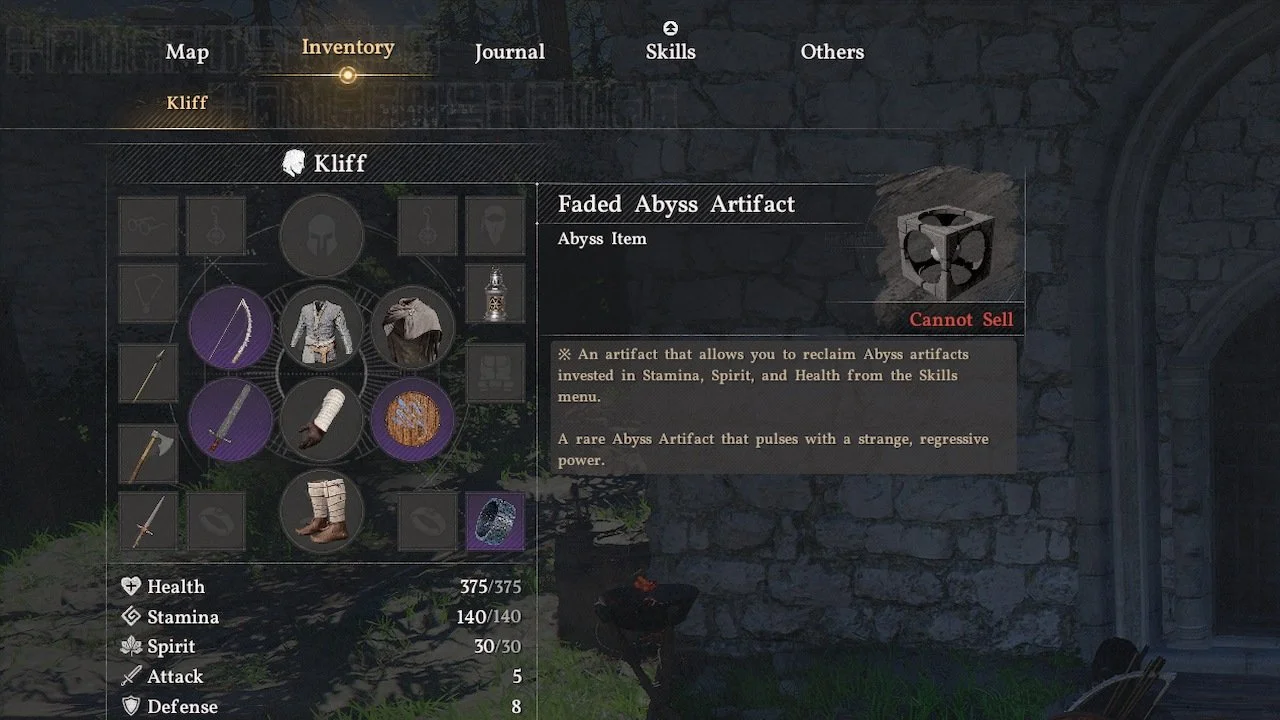
You can respec skills in Crimson Desert by using an item called a Faded Abyss Artifact. This item is available to find throughout the world of Pywel, whether it’s inside lootable chests or sold by merchants. You may also come across these artifacts by completing challenges in the open world.
Don’t be confused by the Abyss Artifact item, which allows you to unlock a skill in the skill tree. The ‘Faded’ versions will reset your entire skill tree.
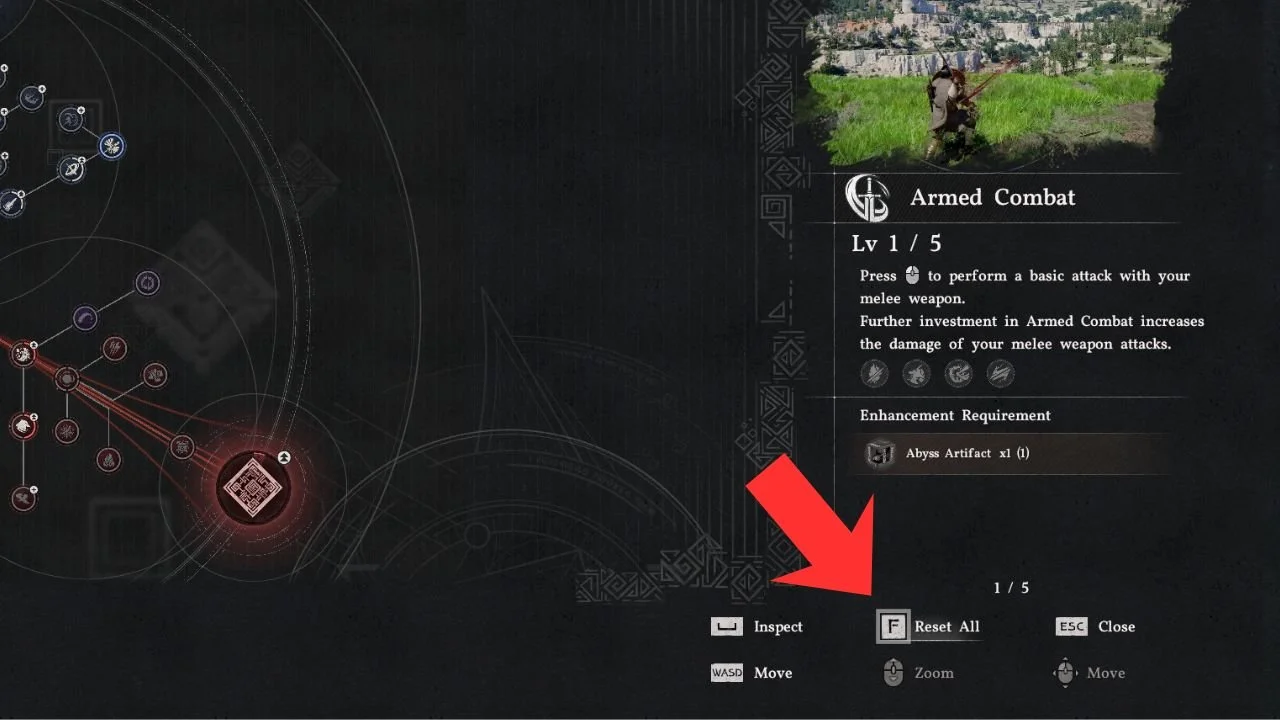
You cannot respec individual skills, so if you’re sure you want to reset all your skills, go into your skill tree menu and select the ‘Reset All’ option. The prompt for this option is at the bottom right-hand corner of your screen. On PC, it’s hold ‘F’, but it’ll be different on console.
After the reset, you will get back all your previously spent Abyss Artifacts to reuse as you see fit. Resetting will consume your Faded Abyss Artifact, so you’ll need to find a new one to respec again.
Crimson Desert is available now on PS5, Xbox Series X|S, and PC.