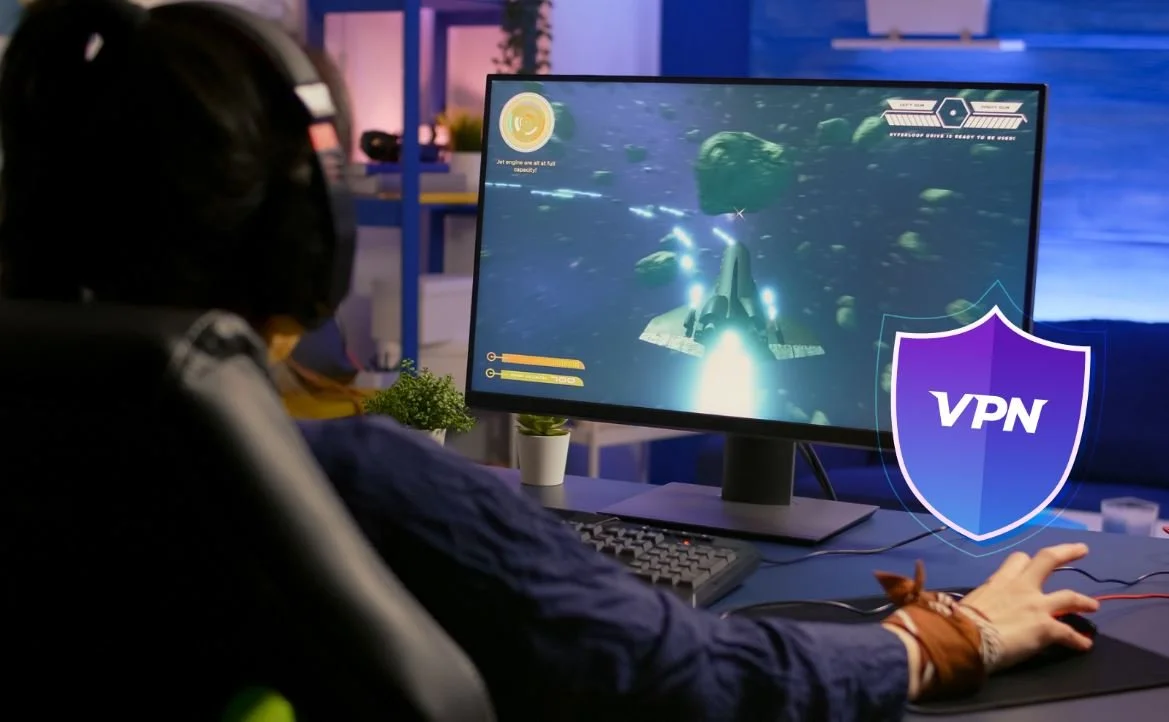
Every online gamer knows the frustration of sudden lag during a crucial match. Whether you play competitive shooters or massive multiplayer titles, a delayed response could ruin the entire experience. That split-second delay when your character fails to react on time could cost you the game. If your connection keeps slowing down or freezing, it becomes impossible to enjoy even casual matches. This is where iTop VPN for online gamers steps in. It gives you a more stable connection, removes interruptions, and keeps your game running smoothly from start to finish.
Why Lag Happens During Online Gaming
Lag usually triggers with something beyond your control. Your device sends signals to the game server, and when those signals take longer to reach their destination, you start to notice delays. One of the most common reasons for this is the physical distance between your system and the server. The farther away you are from it, the higher your ping becomes.
Another issue comes from your internet provider. Many providers slow down your connection when they detect heavy usage. This method, known as throttling, often happens during peak hours when the network is crowded. It does not matter if your plan promises high speeds; your games suffer either way.
At times, it is also the network’s poor routing paths that create disruptions. These routes might redirect your traffic through unnecessary channels, which increases latency. Add public Wi-Fi or weak encryption on top of that, and you are left with constant disconnections or freezing screens.
How iTop VPN Solves Lag Issues for Gamers
Reduces Ping by Optimising Server Routes
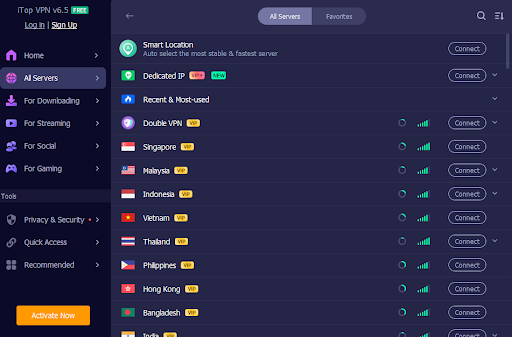
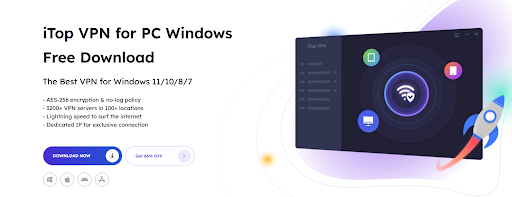
iTop VPN for online gamers ensures that your data travels through the shortest possible route. It detects and uses the best available pathway to the game server. With over 3200+ worldwide servers across 100+ locations, it places you closer to the action, no matter where the game's server might be.
Avoids ISP Throttling During Peak Hours
Since your data flows through an encrypted tunnel, your internet provider cannot detect the type of activity taking place. This means they cannot slow down your gaming traffic. You receive consistent speeds without interference. That helps, especially during peak times when others experience sudden drops.
Global Server Access for Geo-Optimised Gaming
Some games perform better when accessed from certain regions. With iTop VPN for online gamers, you can connect to servers in different countries. That helps you unlock faster game servers or even play region-locked titles. You will not only avoid lag but also gain access to a wider gaming world.
Stable, Encrypted Connections with Less Interruption
Security adds to stability. Gaming without lag becomes easier when your network stays safe from intrusions. The iTop VPN’s AES-256 encryption reduces the risk of DDoS attacks, which often target gamers. Along with a covered-up IP address, you remain invisible to anyone trying to disrupt your session. It also comes with a lightweight app that doesn’t slow down your framework, which means you get speed without sacrificing performance.
Key Features of iTop VPN for Online Gamers
Dedicated Gaming Servers
The VPN offers specific servers that focus entirely on gaming. They minimise delays and ensure low latency for competitive play. You do not share these connections with people who stream or download, which allows your game to receive more bandwidth.
Unlimited Bandwidth & High-Speed Protocols
Your gameplay never gets interrupted due to data limits. Whether you grind for hours or download large patches, iTop VPN for online gamers allows unlimited bandwidth. It also supports advanced speed-focused protocols that deliver quick and stable transmission.
No-Log Policy for Private Gaming
Privacy matters even when you game. The VPN does not store your activity, which means your gaming history or server connections never get recorded. This feature pairs well with its private web browser, allowing a completely safe and fast, ad-free browsing experience for gamers who also explore forums or stream walkthroughs.
Compatibility with Windows, Android & iOS
You can run iTop VPN for online gamers across multiple devices. Whether you play from a gaming laptop, a smartphone, or a tablet, the VPN ensures each session stays fast and secure. You do not need to switch platforms or worry about limited support.
Quick Setup Guide – How to Use iTop VPN While Gaming
Download, Install & Select the Gaming Server
First, download the VPN from the iTop official website. Once installed, launch the app and choose a server dedicated to gaming. Make sure to pick the one closest to the game server you want to play on.
Launch Your Game and Monitor the Ping
Once connected, start your game and check the ping in the game settings. You should see an improvement almost immediately. If the server feels slower than expected, switch to another one and test again.
Adjust Settings for Optimised Performance
Some systems perform better when you tweak the VPN settings. Turn off features you do not use. Keep the speed-boosting mode active and make sure your security layers do not clash with the game firewall. The lightweight nature of the app allows you to adjust all of this without draining your system.
Final Thoughts
If you have struggled with disconnections, delays, or high ping, then this tool might be exactly what you need. iTop VPN for online gamers does more than just give you access to faster servers. It strengthens your overall connection, prevents ISP slowdowns, and allows safe access to global titles. Every gamer wants an edge, and a smooth connection plays a big part in that. Whether you compete online or simply want uninterrupted fun, gaming without lag becomes possible with the right tools. iTop VPN delivers not only performance but also privacy, stability, and flexibility.