To use damage meters in World of Warcraft, you’ve always had to rely on third-party add-ons, but World of Warcraft: Forever changes that with a new built-in damage meter you can enable or disable at any time. This allows you to keep up with your party or raid’s outgoing and incoming damage, as well as other useful statistics while you’re teamed up together. Here’s how to enable and use the damage meter in World of Warcraft: Forever.
How to Turn on the Damage Meter in World of Warcraft: Forever
To begin using the damage meter in World of Warcraft: Forever, you’ll need to go into your settings and enable it first. To do this, open the “Options” menu, then click “Advanced Options.” Under the “Damage Meter” section, choose “Enable Damage Meter.”
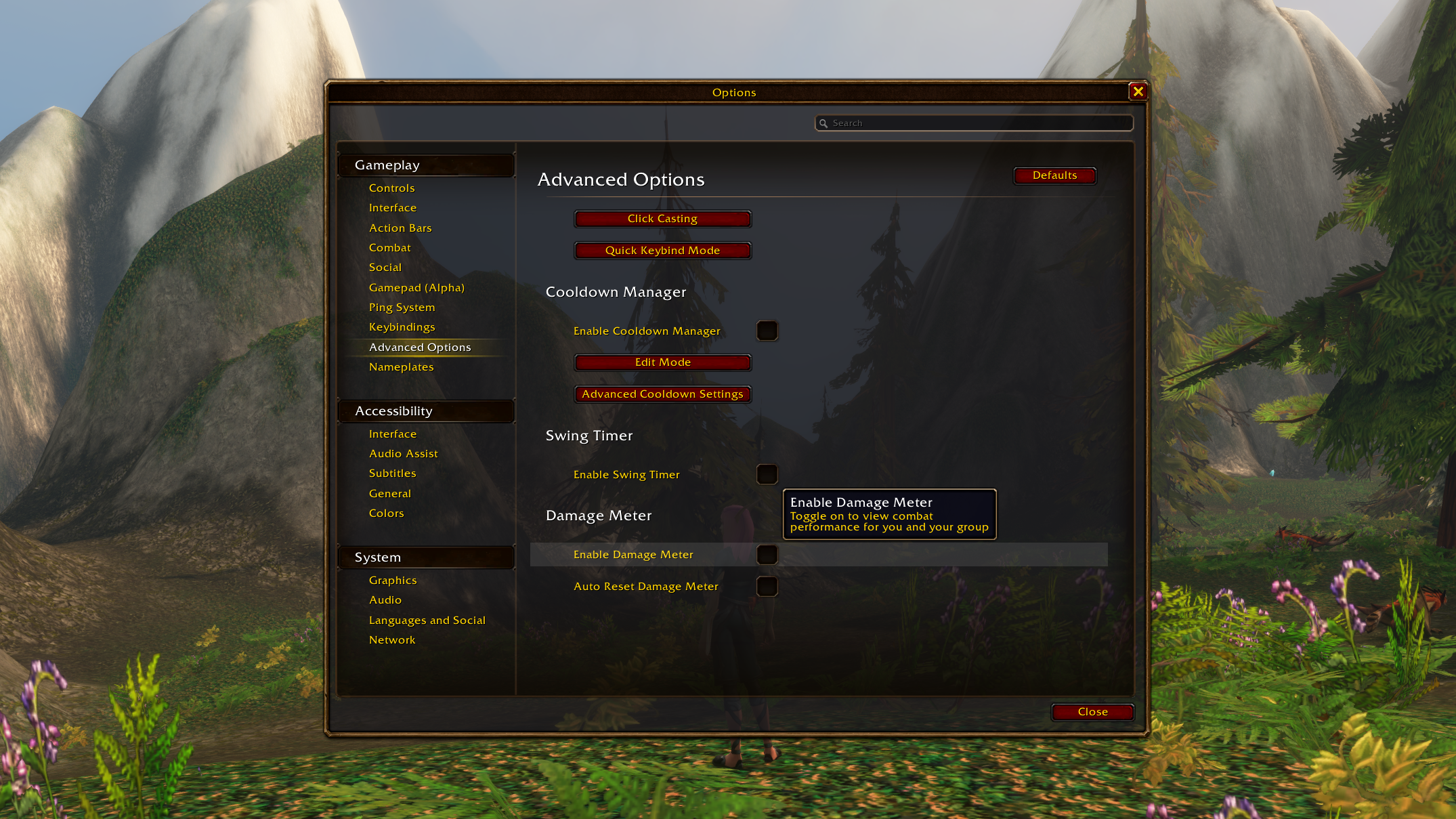
This will add the damage meter to the upper-left corner of your screen. You can now easily customize what you want it to show.
How to use the damage meter in World of Warcraft: Forever
There are a lot of things you can track with the damage meter. To take a look at all of it, click the icon in the upper-left corner of the damage meter pane to show a drop-down menu.
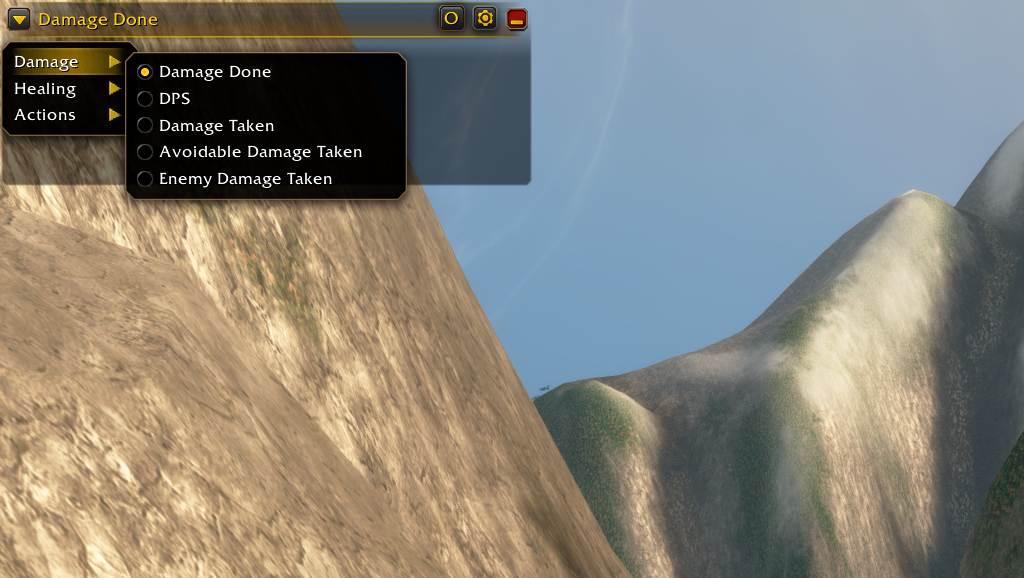
Now you can set what you’d like to keep up with while you’re journeying through a dungeon or raid.
Damage
Damage Done
DPS
Damage Taken
Avoidable Damage Taken
Enemy Damage Taken
Healing
Healing Done
HPS
Actions
Interrupts
Dispels
Deaths
You can also reset the data and get a fresh look at this by pressing the gear icon on the right side of the damage meter pane, then selecting “Reset Data.”
For more on what’s happening in this revisited version of Azeroth, look at how to ping in World of Warcraft: Forever.