World of Warcraft: Forever offers a lot of returning and new features for players to use, but some of them require you to head into some menus to turn them on. If you want to know how to use the ping feature in this version of Azeroth, here’s how to enable it so that you can start letting your friends know what to attack or where to find useful items out in the world.
How to ping in World of Warcraft: Forever
To ping in World of Warcraft: Forever, you’ll first need to enable the feature and assign it to a keybind. To do this, open the “Options” menu, then select “Keybindings.” Look for “Ping System” in the list here (it’s near the bottom).
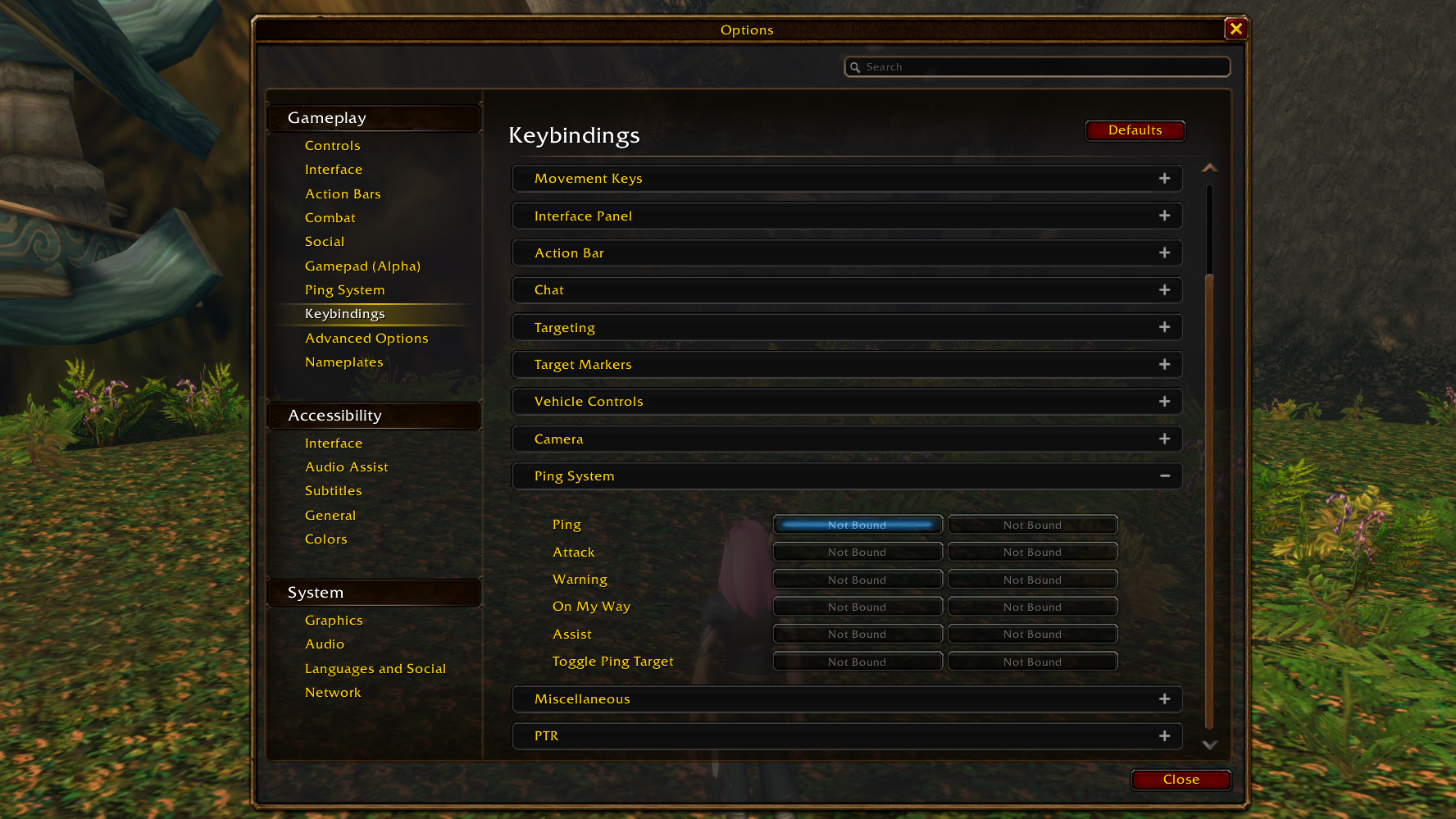
In this section, click “Not Bound” next to the “Ping” entry, then assign pinging to whichever key you prefer. Make sure it’s not a keybind you’ve got assigned to anything else, of course!
You can also assign specific types of pings to unique keybinds for quick use. such as Attack, Warning, and so on. But that can get to be a bit overwhelming for casual use, so that’s probably best saved for raiding.

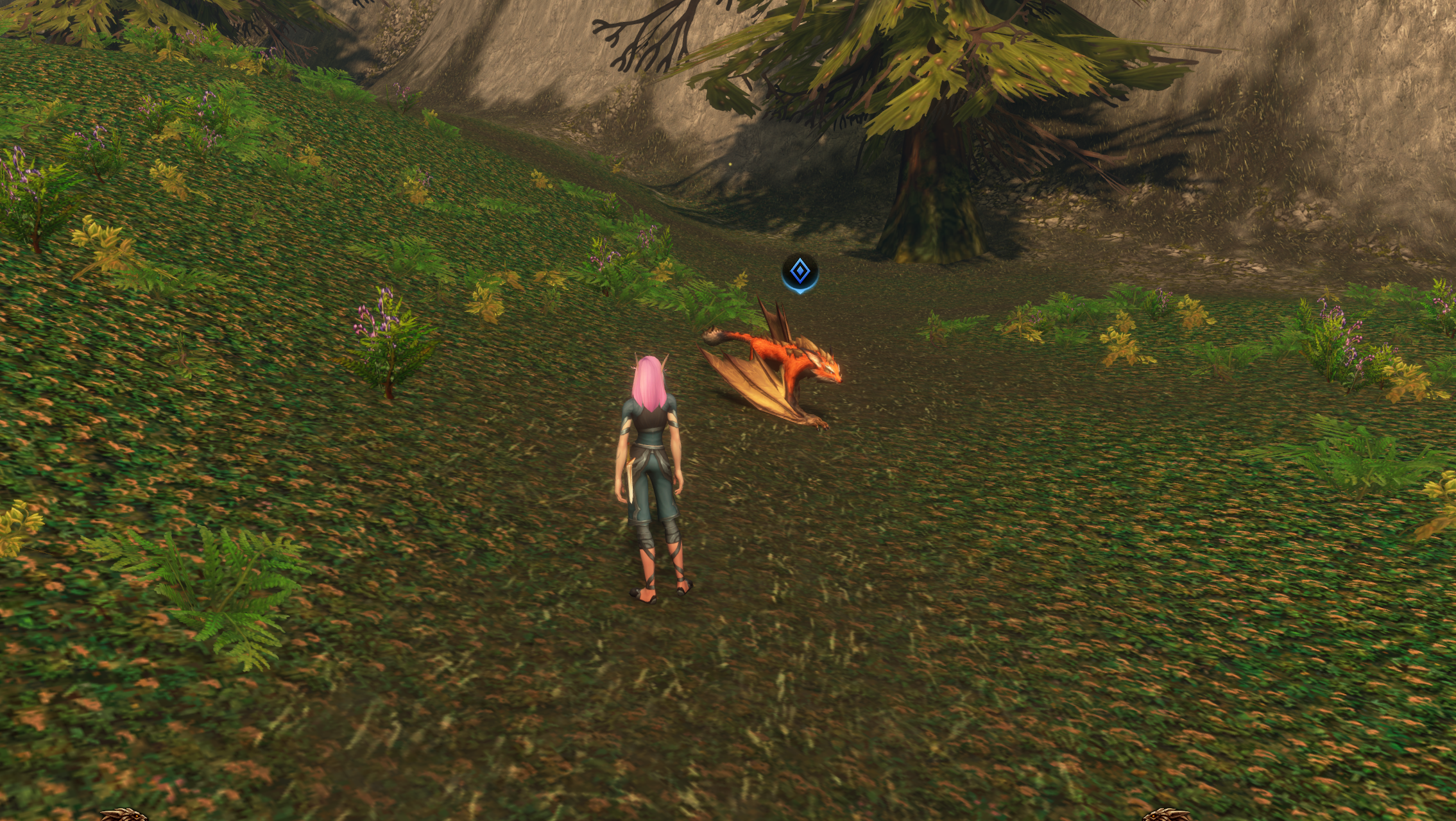
Now that you’ve assigned a key for pinging, you can use your mouse to hover over what you want to ping, then press that key to show a blue ping at that location. Use this to ping quest items for friends, or to let people know what enemy you want to attack next.
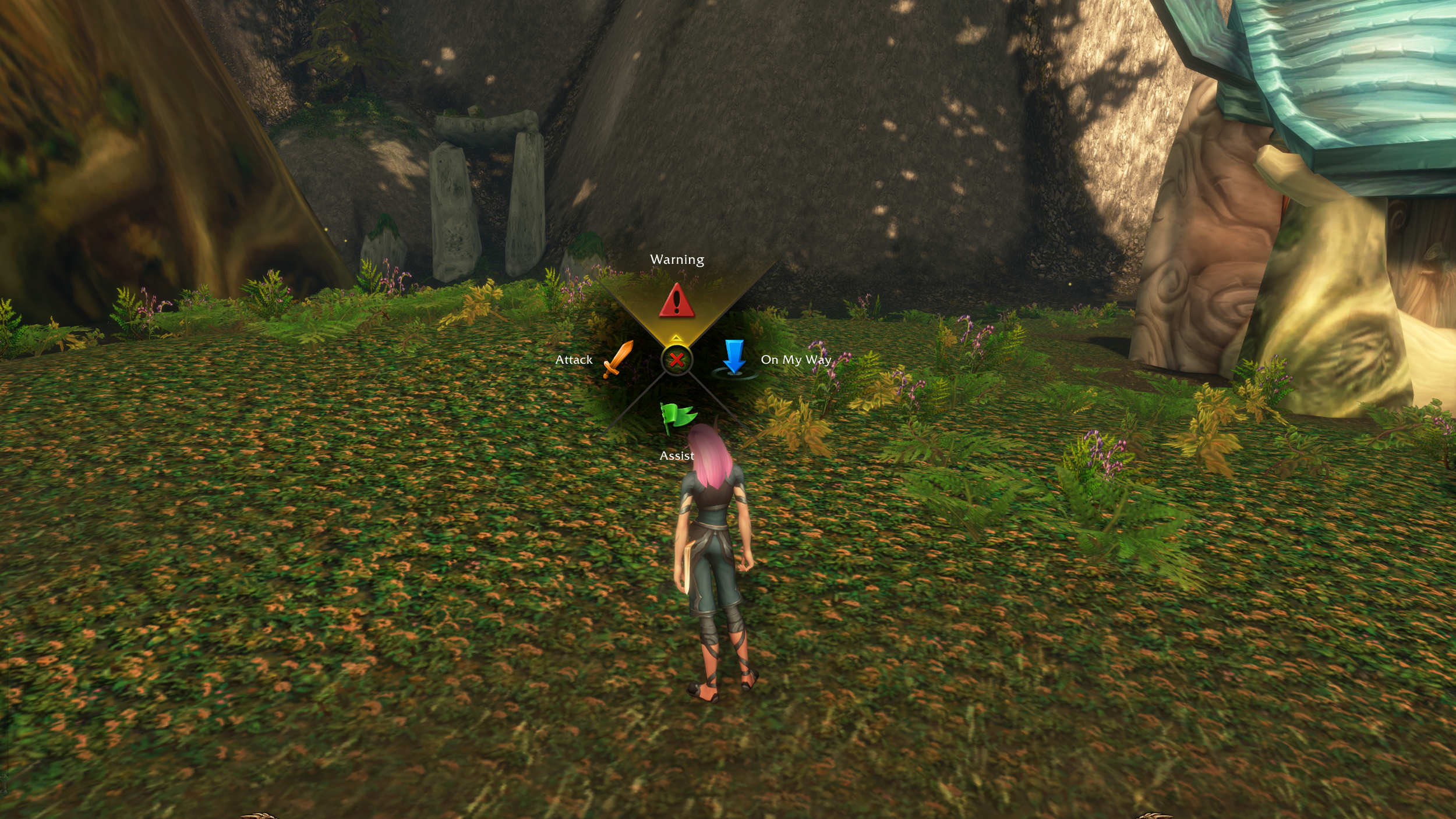
If you hold down the ping button, you can open a radial wheel that lets you choose between Warning, On My Way, Assist, or Attack, giving you additional ways to communicate what you need or what you plan to do.
You can also go into “Options” and then select “Ping System” to further customize this feature. We’d recommend you looking into this to set it up exactly how it feels best for you and those you’re partied with.
Now that you know how to ping, you may also be interested in learning how to use the damage meter in World of Warcraft: Forever.