With any game that runs in real time, having to wait for certain things to unlock and projects to finish building can be difficult. Just like in Animal Crossing, you can time travel in Pokémon Pokopia. But how does it work, and is it just like Animal Crossing? We’ll teach you how time travel works in Pokémon Pokopia.
How does time travel work in Pokémon Pokopia?
To time travel in Pokémon Pokopia, you have to change your Nintendo Switch’s date and time. Your in-game clock follows the same time that your Switch 2 is set to. If you’re not sure how to change the time on your Switch, here’s how it’s done:
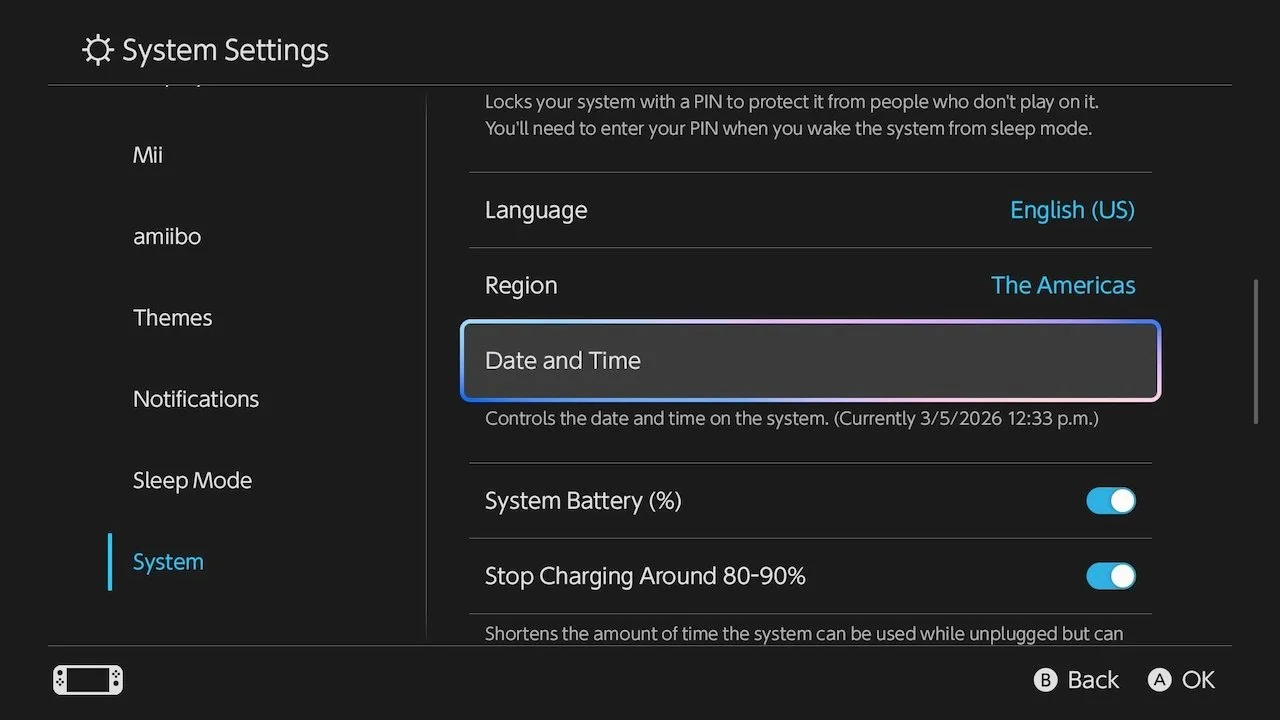
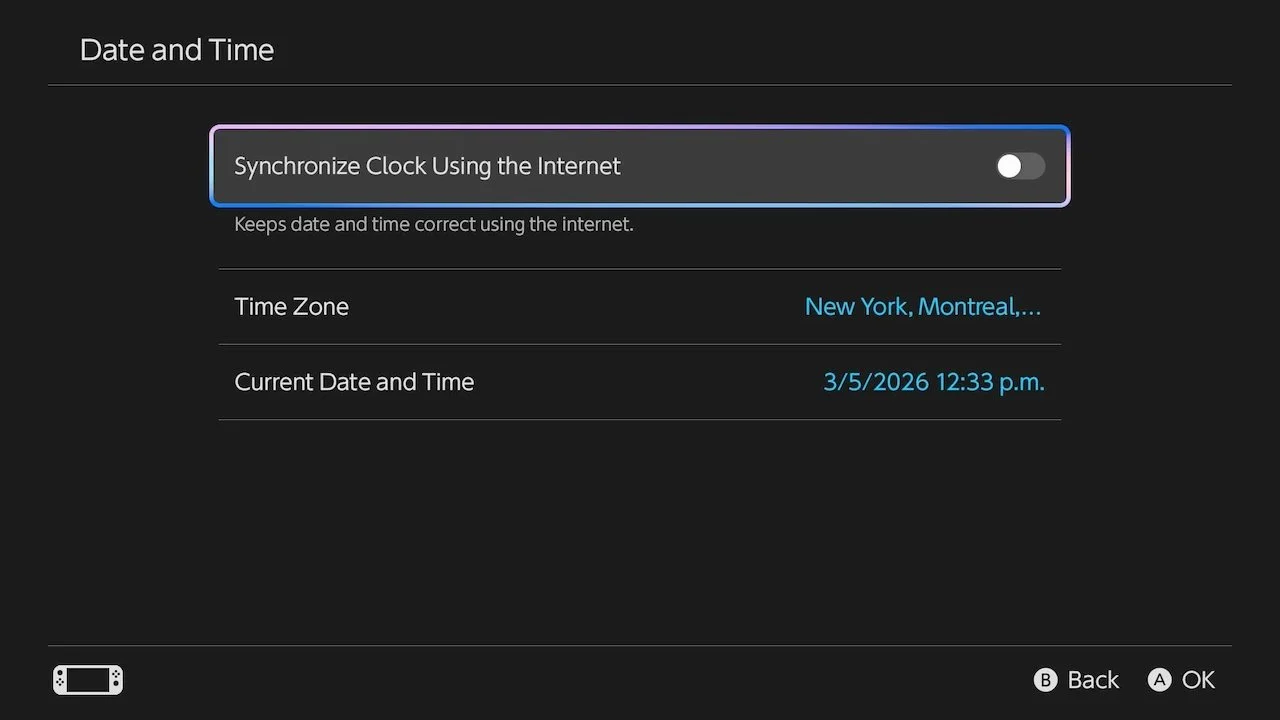
Go to System Settings by selecting the gear icon on your Switch’s home menu.
Scroll all the way down until you reach System.
Under System, scroll further down and select Date and Time.
Toggle off the setting that’s synchronizing your time automatically if it’s on.
Change the date and time of your Switch to whichever time you prefer.
That’s all it takes to time travel in Pokopia! Now, you can head back to the home menu and launch Pokopia to see what has progressed in your world since the time change. For now, it doesn’t seem like there are any penalties for time traveling or going too far into the future.
Speaking of time, now that you know about time travel, you may also want to know how long it’ll take you to beat Pokémon Pokopia.