
With how many Pokémon start to populate your world in Pokémon Pokopia, it’s easy to lose sight of them. One moment you’re looking for Trubbish to make you Iron Ore, the next you’re running around Bleak Beach trying to find where he’s hiding. Luckily, there are two easy methods for finding missing Pokémon in Pokémon Pokopia, so here’s how they work.
How to search for missing Pokémon in Pokémon Pokopia
There are two main ways to find any Pokémon that have wandered off from where you’d like them to be at any given moment.
Use your Pokedex to find Pokémon

To search for missing Pokémon in Pokémon Pokopia, either press the Search button in the Pokedex or use Honey while at their habitat. For the first method, open your Pokedex and hover over the Pokémon you’re looking for.

Then, press the ‘+’ button and confirm the search. You will then pull out a scanner, and you can ask any nearby Pokémon if they’ve seen who you’re searching for. Once you ask, the camera should pan over to the direction where the missing Pokémon is residing.
Use honey to summon Pokémon
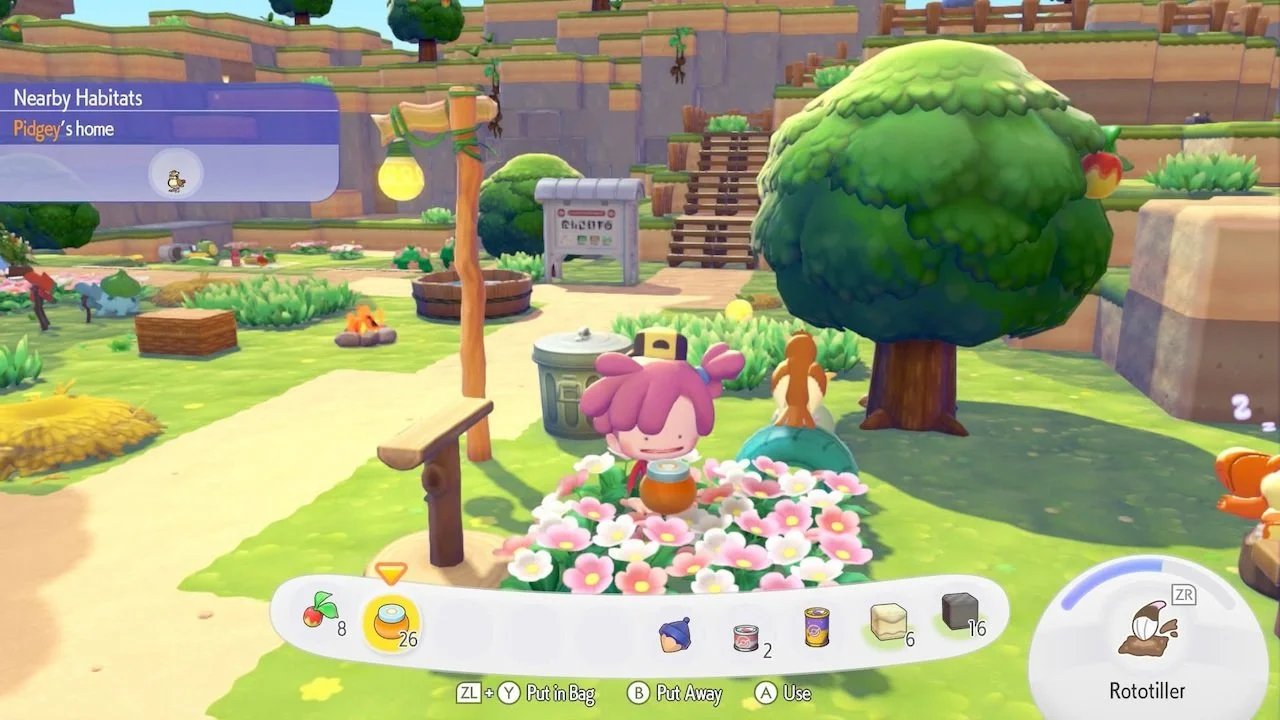
If you want a quicker method, you can actually lure Pokémon to their habitat. Hold Honey in your hands (which you can harvest from flowers), and press the ‘A’ button to use. The missing Pokémon will come right over (if they aren’t busy with something else) after following the nice smell.
Now that you know how to search for your missing Pokémon friends, you may also be interested in learning how to move Pokémon between regions in Pokémon Pokopia.