Yoshi and the Mysterious Book is overflowing with adorable creatures to discover and interact with as you work to learn how they function. And if you’re planning to work towards filling up every page of Mr. E’s book, you’ll be spending a lot of time solving the various mysteries of each creature. So, it’s a good idea to name them something that makes you happy, as you’ll be seeing them all quite often.
You can choose a name for each creature you discover upon meeting them, or you can opt to let Mr. E choose for you, which will grant them their canonical name. Whichever option you pick, though, you’ll be free to change their names at any time. But if you’re curious how you do that, let’s talk about it.
How to change creature names in Yoshi and the Mysterious Book
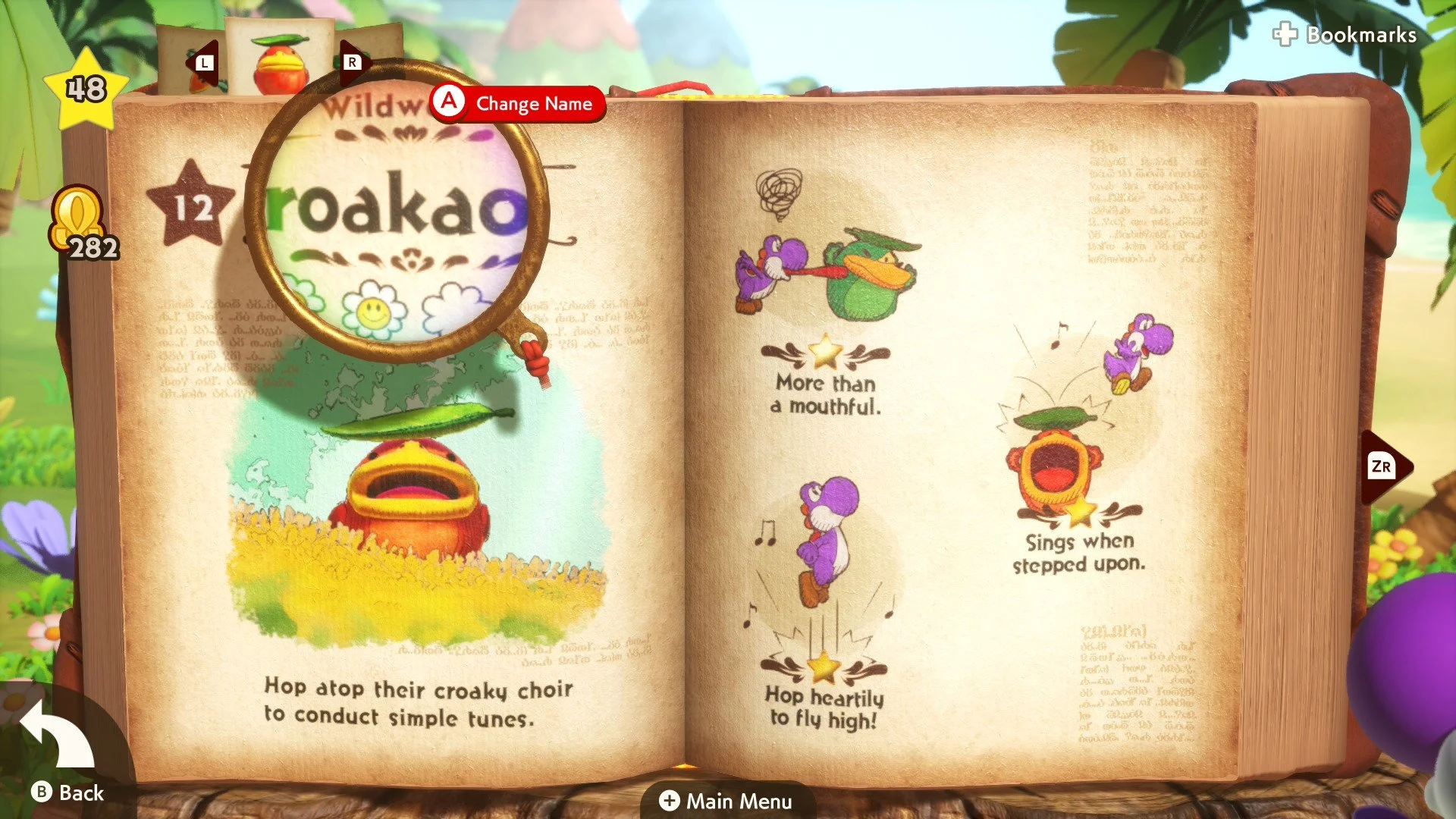
To change the name of a creature in Yoshi and the Mysterious Book, you’ll first need to make sure you’re out of a level and able to peruse Mr. E’s pages. When you’re on this menu, search his pages for the creature you want to rename, hover your magnifying glass over them, then click them to open their page.
On this screen, move the magnifying glass to the creature’s name at the top of the left page. Click the prompts that says “Change Name.” Now, you can change the name of the creature to whatever you’d like.
Of course, keep in mind that, because Yoshi and the Mysterious Book is a game made for all ages, there are limits to what you name creatures. For instance, you won’t have very many options when it comes to any type of inappropriate language, so it’s usually best aim for nice or silly names instead. Keep your mind out of the gutter, you rascal.
Yoshi and the Mysterious Book is available now exclusively on Nintendo Switch 2.