The digital economy surrounding Counter-Strike 2 skins involves significant real-money transactions every day. Players often rush into deals to secure a rare item before they unlock it. This haste leads to avoidable mistakes that compromise account security and cause financial loss.
Trust forms the foundation of every successful trade in this ecosystem. High-value items attract individuals who look for gaps in security or lapses in judgment. You must remain incredibly grounded and fully research the nuances of the exchange hubs.
I have bought skins with cash, and I have traded items across accounts, so I know how smooth trades feel when everything lines up. I have compiled these observations to help you handle your inventories with the same level of care and precision in plain language.
What CS2 Skins Really Are And Why People Trade Them?
CS2 skins are purely visual upgrades. They alter the specific finish of a player’s chosen weaponry. Fans value these assets since they allow for a unique flair. A unique skin also provides a sense of ownership.
These CS2 skins are available in your inventory. Steam treats them as tradable items. Players trade for different reasons. Some people buy a clean loadout, and they stop there. Others rotate skins, then they move value from one item to another over time
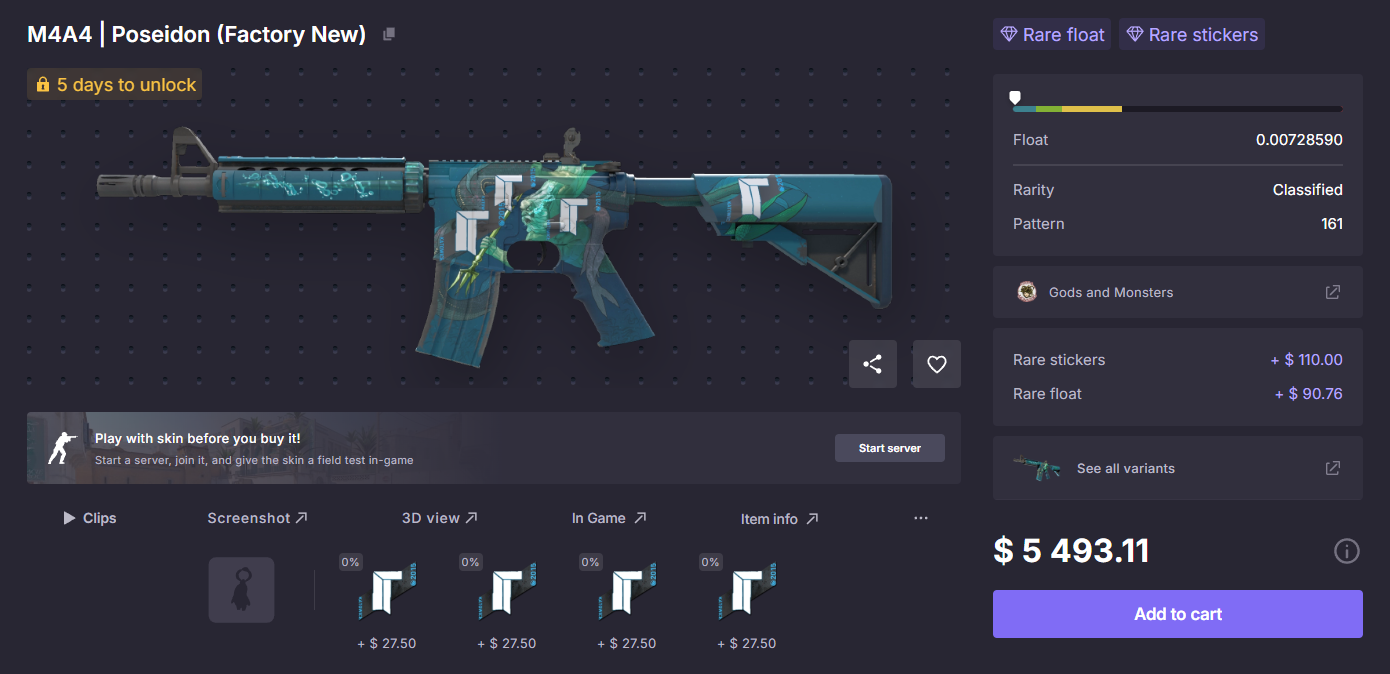
Rarity drives part of the value, yet demand often matters more in day-to-day pricing. Wear level also matters because Factory New usually costs more than Battle-Scarred for the same skin line. That link between condition and price stays consistent across most listings.
How Skin Pricing Actually Works In CS2?
Skin prices move because the market reacts fast, and it reacts to small details. Major game updates often shift values by changing how lighting reflects off certain textures. Wear levels play a massive role, as a Factory New item carries a heavy premium over a Battle-Scarred version.
Demand changes prices too. A rifle gets attention, then its popular skins move up. A case drops, then supply pushes some prices down. Timing matters, and it often matters more than people expect.
Specific weapon relevance also dictates the cost of a skin. The best CS2 AUG skins under $10 are a great example of finding visual quality without overspending. Smart buyers look for these value-based opportunities rather than chasing every sudden price spike.
Where It Is Actually Safe To Buy CS2 Skins?
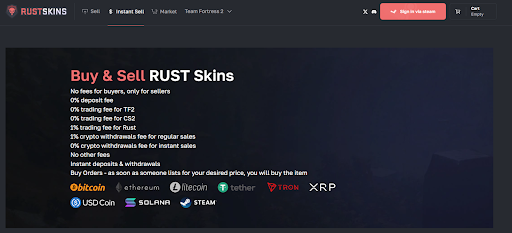
Steam Community Market feels safest because Steam controls delivery, and payment stays inside Steam Wallet. However, many experienced players prefer third-party platforms to avoid high fees.
Third-party sites can offer better prices, yet trust matters more than discounts. Reputation signals matter because the buyer does not get Steam’s full safety net on every platform. A clean track record helps, and clear support policies help too.
Payment choice also changes the risk profile. CS2 skins marketplaces that accept PayPal often appeal to buyers who want payment dispute options, since PayPal adds a layer of buyer protection on many transactions. That detail does not solve every issue, yet it can reduce payment stress in normal purchases.
Account Setup That Keeps Your Inventory Safe
Security starts with a properly configured Steam account. Steam Guard prevents unauthorized access effectively. The mobile authenticator adds confirmations for trades and market actions. Steam also applies holds when an account lacks proper protection.
Basic security habits keep items where they belong. Players should avoid logging into Steam through unknown links. They should also check the browser address bar for the official domain name.
A secure account reflects a disciplined mindset and a respect for time and money. Also, a clean email inbox helps, and a separate password helps. Those choices reduce exposure when a random site leaks credentials.
How to Buy CS2 Skins Without Getting Burned?
Buying skins safely requires a calm and methodical approach. A clean routine starts with price checks on Steam. A player should always check multiple marketplaces to verify the current going rate for an item. That comparison removes the pressure to “act now.”
Listing details deserve the same attention as the price. Wear level matters, and the wrong exterior label can change value fast. Float details also matter, even when two items share the same wear tier. Screenshots can mislead, so the listing line matters more than the picture.
Avoid platforms that create a fake sense of urgency. Legitimate marketplaces allow buyers to take their time and review the transaction details. A buyer should verify that the site has a clear history of successful trades. A calm buyer avoids urgency bait by default.
How to Trade CS2 Skins The Right Way
Steam trading works best because it uses Steam’s own tools. This tool allows both parties to see exactly what is being offered before anything is finalized. That last screen matters because mistakes happen there, not in chat.
Trade confirmations add another checkpoint. Steam Guard Mobile Authenticator supports confirmations in the app, and that extra step blocks many fast scams. The app prompt forces a pause, and that pause helps you notice item swaps.
Trade holds can still appear, and patience matters when they do. Steam explains that holds happen when the account lacks the mobile authenticator, and holds delay items that move away from the account. A delayed trade often feels slow, yet it keeps the system more stable.
Common CS2 Skin Scams Players Still Fall For
Impersonation still works because it looks normal at first. A scammer copies a profile, then they mimic a known trader. The conversation feels routine, then the link appears.
Fake bots create a different trap. The bot account looks automated, yet it routes you to a trade that sends items out. Another version uses a “verification” trade, then it claims the items will come back. That return never comes.
Outside links cause most of the real damage. A link can lead to a fake Steam login, or it can lead to a fake “inventory checker.” Steam Guard reduces impact, yet it does not remove the risk of bad clicks.
Conclusion
Safe trading depends on consistent habits and the use of trusted platforms. Players who value their time and money avoid shortcuts and stay within regulated systems. Steam tools handle most of the risk when you use them, and trusted platforms handle the rest when payments happen.