Searching for an easy way to trade CS2 skins? This guide is here to help. We’ll cover everything from setting up your Steam account to choosing the best trading platforms and avoiding scams.
Key Takeaways
Set up a secure Steam account and enable two-factor authentication to protect your trading activities.
Choose reliable trading platforms like Skinflow or use trading bots to simplify and speed up transactions.
Stay informed about market trends and skin values to make smart trading decisions and maximize potential profits.
Getting Started with CS2Skin Trading

Trading CS2 skins is more than just a hobby it’s a legitimate and popular activity that allows players to acquire new items and even make money. Many players treat CS2 skin trading as a serious business, investing time and effort to understand the market and maximize their returns. The potential for profit and the thrill of acquiring rare skins have created various opportunities, including selling, buying, giving away, and, of course, trading these items. Success requires engaging in Steam market analysis and ongoing education.
CS2 skins have gained substantial value over time, often being worth real money in the trading market. Understanding the key factors of trading is crucial for successful transactions, and trading can also take place on third-party platforms that allow buying, selling, and trading outside of Steam.
Setting Up Your Steam Account
Before you can start trading, you need to set up your Steam account properly:
Create a Steam account if you don’t already have one.
Activate Steam Guard for added security.
Set your profile and Steam inventory to public so others can see your items.
Ensure your Steam Trade URL is ready, as it’s essential for receiving trade offers.
Enabling two-factor authentication (2FA) adds an extra layer of security, making trading activities safer.
Understanding the Trade Process
CS2 skin trading revolves around the exchange of virtual in-game items unique to Counter-Strike 2. To trade skins and trade csgo, follow these steps:
Browse through your inventory.
Select the items you wish to trade.
Initiate a trade by selecting these items.
Make an offer to another player.
Once a trade offer is sent, you’ll receive a notification on the Steam mobile app if Steam Guard is active, allowing you to confirm the trade. This process ensures that trades are secure and verified, minimizing the risk of unauthorized transactions.
Choosing the Right Trading Platform
Selecting the right trading platform is crucial for a smooth and successful trading experience. The Steam Community Market is the most secure platform for trading CS2 skins, offering complete protection against scams. However, several third-party trading sites like Skinswap provide secure transactions with low fees and excellent user value. User-friendly reputable platforms make the trading process seamless and hassle-free, enhancing your overall experience. This platform offers a unique opportunity for traders to maximize their potential.
Your Steam account must be at least level 5 to enable trading functionalities, ensuring some level of user credibility. When assessing a trading platform, check user reviews and community engagement to determine its reputability.
Understanding market value and selecting the right platform that fits your needs is essential for trading in Counter-Strike 2. Trading CS2 skins can also involve using trading bots that execute trades efficiently, resulting in a smooth user experience.
Top-Rated Trading Sites
When it comes to top-rated trading sites, trading websites like Skinflow stand out for their wide range of inventory and fair pricing practices. SkinsMonkey is known for its user-friendly interface and best deals. Tradeit.gg is the best site highly rated by users, boasting over 18,000 positive reviews from CS2 skin traders, offering the best prices.
SkinSwap provides an easy selection process, ensuring a hassle-free trading experience. These platforms offer competitive lowest fees, transparent accurate pricing, and secure transactions, making them ideal for both new and experienced traders.
Using Trading Bots
Trading bots are an efficient way to trade CS2 skins quickly and safely. These automated systems streamline the trading process by matching offers, verifying skin legitimacy, and ensuring secure transactions. Platforms like Skinflow utilize trading bots to facilitate buying, selling, and trading with just a few clicks.
Using a trading bot means you can receive money or other skins in exchange, making the process hassle-free and efficient. BitSkins’ Trading API, for example, manages inventory and allows trading in bulk using algorithms, further simplifying the process.
How to Trade CS2 Skins Safely

Safety is paramount when trading CS2 skins. Key points to ensure secure transactions include:
Using trusted trading sites like Skinflow.gg
Skinflow offers secure trades with low fees and full transparency, making it a preferred choice for traders
Verifying your phone number adds an extra security layer necessary for trading
CS2 trading bots employ security measures and fraud prevention techniques, contributing to safer trading practices. To ensure safe transactions, always use trusted platforms, verify your identity, and understand the security measures in place.
Avoiding Scams
Scammers are constantly seeking to steal valuable CS2 skins, so it’s vital to be vigilant. To reduce scams, consider the following:
Be aware that phishing scams often involve fake websites designed to steal Steam credentials.
Recognize that API scams also fall under the category of phishing scams.
Always double-check every skin trade before confirmation.
Thoroughly check trade offers and the reputation of traders.
Be cautious of offers that seem too good to be true, as they are common red flags.
Using a trusted middleman can enhance safety during peer-to-peer skin trading.
Verifying Trade Offers
Double-checking trade offer details before confirming is crucial to avoid mistakes. A confirmation step is necessary to finalize a trade offer, preventing unauthorized trades. Trade offers expire if not accepted within two weeks, ensuring timely responses.
By following these steps, you can ensure that your trades are trading legit and secure while complying with local laws.
Maximizing Value in CS2 Skin Trades

Maximizing the value of your CS2 skin trades involves understanding the market value of skins, which is influenced by rarity and demand. Evaluating skins based on their rarity and popularity can help you make informed trading decisions.
Beginners should familiarize themselves with the basics of skin values and market trends to make better trading decisions. Participating in forums and discussions can offer valuable insights into trading strategies and market dynamics.
Determining Skin Value
The value of CS2 skins is influenced by several factors, including grades, float values, and patterns. Float values play a crucial role in determining the perceived condition and worth of a skin. Skins are categorized into five wear levels, with Factory New skins being the most sought after.
To determine if a CS2 skin trade is fair, assess market values of the skins using a value calculator or Tradeit’s pricing function to ensure you are getting fair prices. Understanding these factors can help you make informed decisions when trading skins.
Monitoring Market Trends
Staying updated with skin trading platforms helps traders recognize patterns in price fluctuations. Understanding market dynamics and having deep knowledge is essential for identifying the best trading opportunities. Being aware of community discussions can reveal insights about upcoming trends in skin values.
Researching current market trends can help identify which skins are in high demand and make informed trading decisions.
Step-by-Step Guide to Trading CS2 Skins

Beginners can minimize risks and gain valuable experience by starting with lower-value items. Initiating trades with less expensive skins allows new traders to gain experience without significant financial risk.
Recording trade details is essential for transparency and can help resolve disputes. This step-by-step guide will help you navigate the trading process efficiently and effectively.
Selecting Skins to Trade
Start trading by selecting the skins and items from your inventory. Click on the ones you wish to trade. Choosing the right skins for your first trade is crucial for maximizing your trading success and ensuring you get value in return.
Consider the demand and value of each skin in your inventory to make informed trading decisions. Selecting all the skins enhances your trading experience and achieves better results by selling skins, including sell skins and available skins.
Sending and Confirming Trade Offers
Trade offers can be sent directly through the Steam client by clicking on the trade button. This allows you to send trade offers without both parties needing to be online simultaneously. First, select the skins you wish to trade. Then, choose the skins you want to receive and accept the trade offer.
Confirm the trade offer via your Steam profile to finalize it. Following these steps ensures that your trades are executed smoothly and securely.
Benefits of Trading CS2 Skins
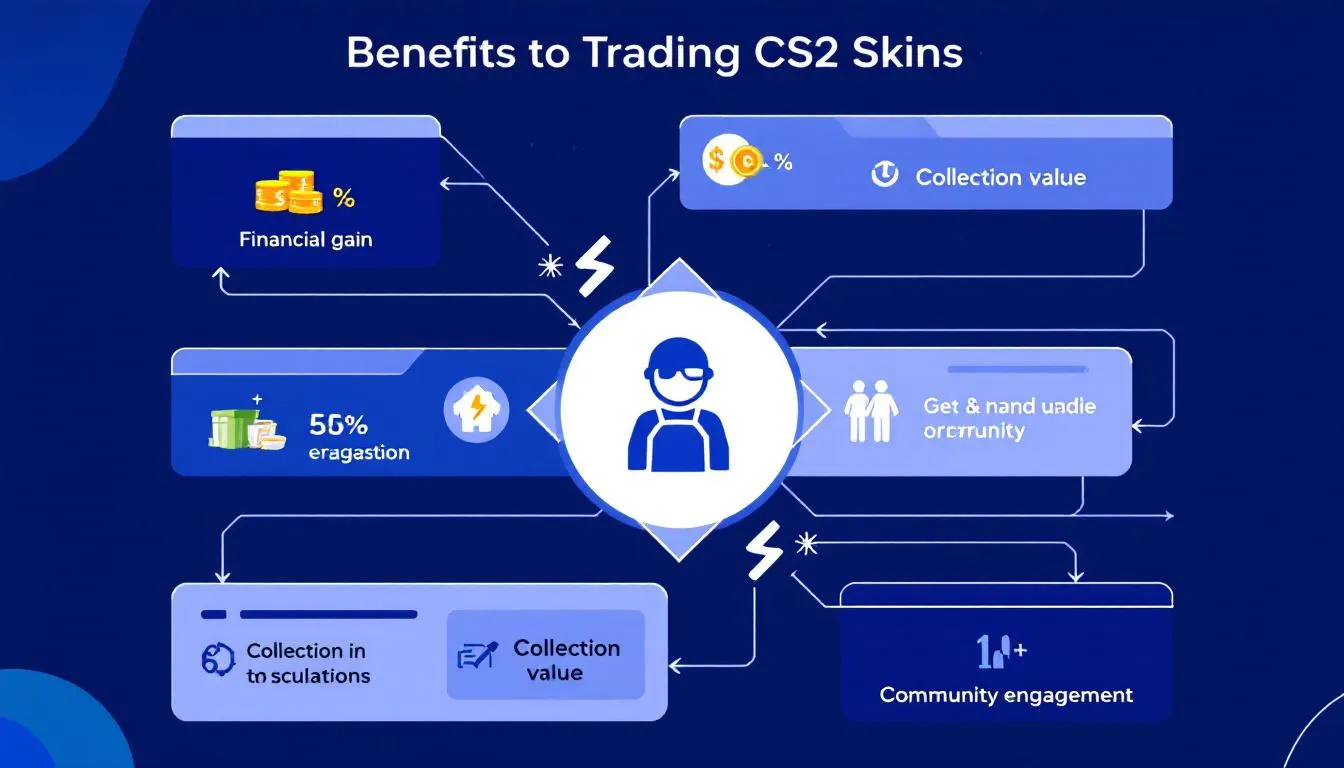
Trading CS2 skins offers numerous benefits, including the ability to improve your in-game inventory through the exchange of items. It’s a valuable way to trade cs while trading cs your inventory with unique items that enhance your gaming experience.
Quick and safe trades, instant selling, and guaranteed item delivery can also enhance your earning potential. Trading skins allows you to trade skins instantly exchange skins without losing too much value compared to outright selling.
Inventory Upgrades
Trading CS2 skins can enhance your gaming experience by allowing access to more personalized and unique items. Platforms like Skin.Club offer features to upgrade your lower-value counter strike skins instantly to more valuable ones through specific mechanics.
Trading allows you to acquire unique newly acquired skins that are traded, enhancing your gaming experience and tailoring it to your preferences.
Earning Money
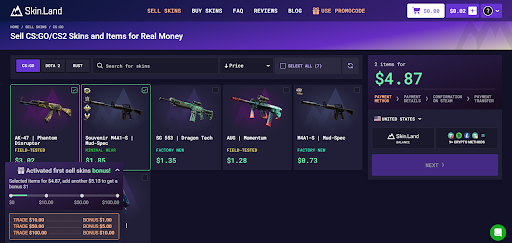
Traders can earn real money by selling unwanted skins through various platforms to make some extra money. Users can convert CS2 skins into real currency by sell them on different trading platforms. Trading skins can sometimes lead to profit, especially when market demand increases for certain skins.
Leveraging the trading market can turn your gamers hobby into a profitable venture.
CS2 Skin Trading Tips for Beginners
Essential trading tips for beginners ensure you understand the key aspects of trading skins effectively. BitSkins offers free expert guidance and support to help beginners with their skin trading journey.
These tips will help you navigate the trading process, avoid common pitfalls, and make the most out of your trading experience.
Starting Small
Starting small in trading CS2 skins allows new traders to learn the basics without risking valuable items. Monitoring market trends and understanding skin values helps traders make informed decisions for better trades.
Trading smaller skins can lead to inventory upgrades, as traders use the profits from smaller trades to acquire better skins over time. Beginner traders should always stay engaged and informed, follow community tips, and learn best practices to avoid common pitfalls in the trading process.
Learning from the Community
Engaging with the CS2 trading community allows traders to gain insights, tips, and support that can improve their trading experience. When choosing a trading platform, consider community feedback and reviews to select the most reliable and efficient sites. Remaining informed about market trends and common scams can help traders avoid pitfalls and make wise decisions.
Active engagement in the community not only provides support but also aids in identifying opportunities for inventory upgrades.
Best Practices for Using Trading Bots
Utilizing trading bots can significantly streamline the trading process by automating trade execution and matching offers. Platforms like Skinflow offer instant trades as a feature for quick and efficient trading.
These bots ensure that trades are executed smoothly and securely, enhancing the overall trading experience.
Setting Up Bot Trades
To configure your trading bot, ensure Steam Guard is set up on your mobile device for at least 15 days to enable instant trading. Steam limits each inventory to 1,000 items, which may require the use of multiple bot accounts for trades to receive all items.
Using a CS2 trade bot ensures you receive your items exactly when you want them, facilitating faster trading. Effective trading bots often allow users to seamlessly integrate their accounts for smoother transactions.
Troubleshooting Bot Issues
If you experience problems with a trading bot, it’s advisable to review the bot’s FAQ section for troubleshooting tips. Users may encounter a variety of issues while using trading bots, such as errors in processing trades or connectivity problems. Addressing these issues promptly ensures that your trading experience remains smooth and efficient.
Summary
In summary, trading CS2 skins can be a rewarding endeavor, whether you’re looking to enhance your in-game inventory or earn some extra money. By setting up your Steam account properly, choosing the right trading platform, and following safe trading practices, you can navigate the CS2 skin trading market with confidence. Remember to stay informed, engage with the community, and leverage trading bots for a seamless trading experience. Happy trading!
Frequently Asked Questions
How do I start trading CS2 skins?
To start trading CS2 skins, first set up your Steam account with Steam Guard and make sure your profile and inventory are public. Then, dive into the Steam Community Market or reputable third-party trading sites to begin your trading journey!
What are the best platforms for trading CS2 skins?
If you're looking to trade CS2 skins, Skinflow, Tradeit.gg, and SkinsMonkey are your best bets for their ease of use and safe transactions. Give them a try!
How can I avoid scams when trading CS2 skins?
To sidestep scams when trading CS2 skins, stick to trusted platforms, double-check trade offers, and always verify the traders' reputations. If an offer seems too good to be true, it probably is!
What factors determine the value of CS2 skins?
The value of CS2 skins largely hinges on grades, float values, and patterns, so recognizing these aspects can really boost your trading choices. Keep an eye on them to make smarter decisions!
Can I earn real money by trading CS2 skins?
Absolutely, you can make real money by trading CS2 skins by selling the ones you don't want on different platforms. Just keep an eye on market trends since certain skins can really increase in value!